


Navigate Your World: The Ultimate Guide to the Android Compass Widget in 2025
Introduction: Your Digital Guide to Direction
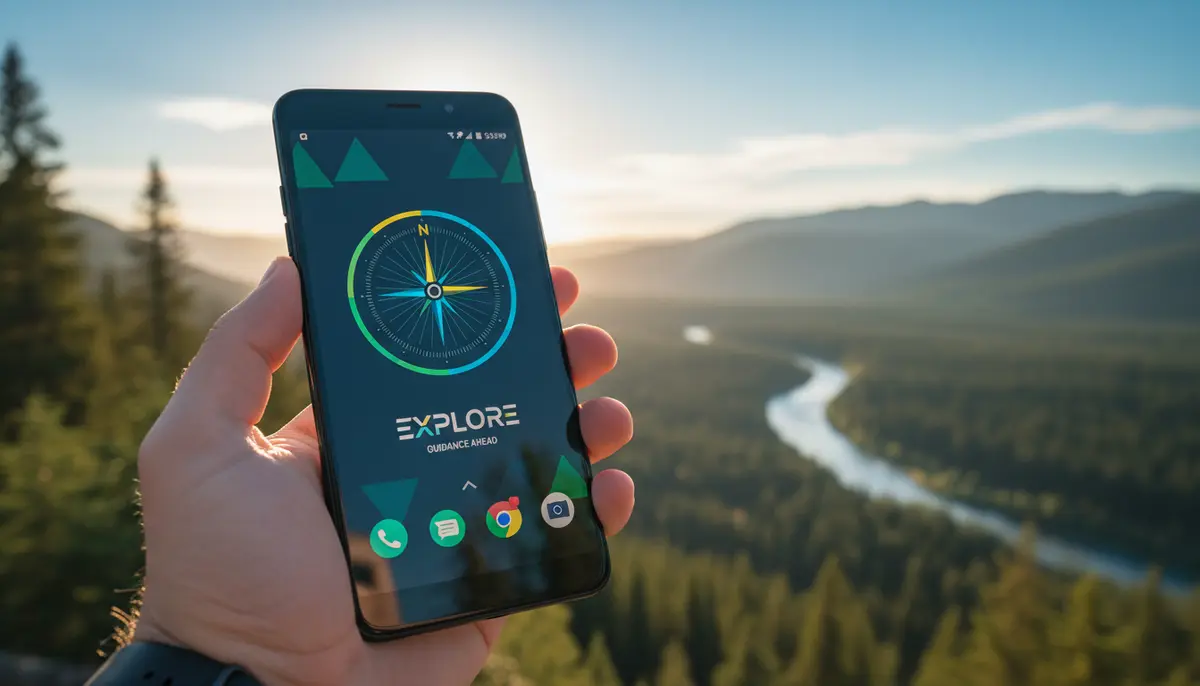
In our increasingly connected world, knowing your exact direction remains crucial. Whether you are an avid hiker, a casual traveler, or simply need to orient yourself in a new city, a reliable compass is essential. For Android users, the convenience of an android compass widget directly on your home screen transforms your phone into an indispensable navigational tool. This guide will explore everything you need to know about the android compass widget in 2025. We will cover how it works, its key features, top apps, and how to get the most out of it.
Modern smartphones come equipped with advanced sensors. These sensors make a digital compass possible. An android compass widget leverages this technology. It provides real-time directional information at a glance. You no longer need to open a separate app every time you want to check your bearing. This means faster access and greater convenience for you.
The Enduring Utility of the Android Compass Widget
Even with powerful GPS navigation systems, the humble compass holds its own. It offers a fundamental understanding of direction that GPS sometimes abstracts away. An android compass widget gives you that raw directional data. It is perfect for situations where a map is too detailed or when you just need a quick north reading. Its utility extends far beyond just finding your way home.
- Outdoor Adventures: Hikers, campers, and backpackers rely on it to stay on course, especially when trails are unclear or unmarked.
- Travel & Exploration: When exploring new cities, a compass helps you maintain your bearings in unfamiliar streets and neighborhoods. It complements map apps by giving you an immediate sense of direction.
- Emergency Preparedness: In situations where GPS signals are weak or unavailable, a basic compass can be a lifesaver. It helps you navigate to safety.
- Urban Orientation: Even in daily life, knowing which way is north can help you understand your surroundings better. It makes navigating public transport or finding landmarks easier.
- Feng Shui & Home Design: Some users employ a compass for specific purposes like aligning furniture or understanding energy flows in their living spaces. The precision of an android compass widget is ideal for this.
The versatility of an android compass widget makes it a must-have for almost anyone. It provides peace of mind and empowers you to explore with confidence. Knowing your direction is a basic human need, and your phone can now fulfill it effortlessly.
How an Android Compass Widget Works: The Science Behind the Screen
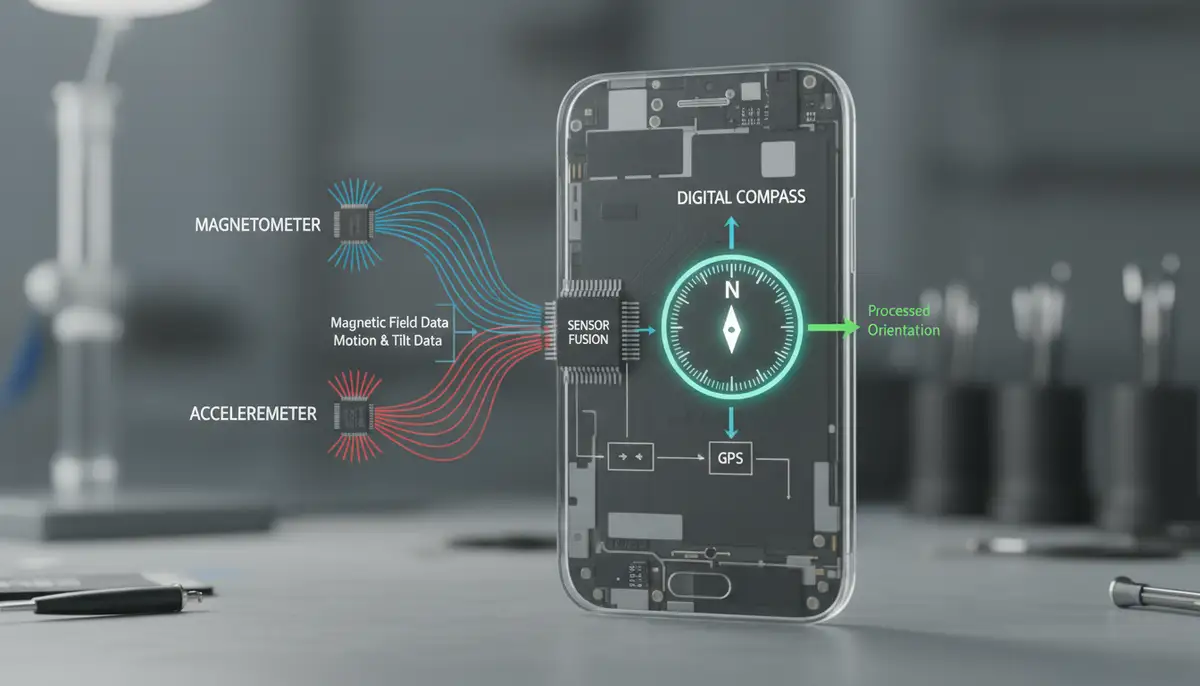
Understanding the technology behind your android compass widget helps you appreciate its accuracy and limitations. Your smartphone isn't just magically pointing north. It uses a combination of sophisticated sensors working in harmony. The primary sensor involved is the magnetometer. This tiny component detects magnetic fields.
The magnetometer measures the Earth's magnetic field. This allows your phone to determine magnetic north. However, magnetic north is not the same as true north. True north is the geographical North Pole. Most advanced android compass widget applications use GPS data to correct for this difference, known as magnetic declination. They convert magnetic north to true north for you.

- Magnetometer: Detects the strength and direction of magnetic fields, including Earth's.
- Accelerometer: Measures acceleration and helps determine the device's orientation relative to gravity. This prevents the compass from giving false readings when your phone is tilted.
- GPS (Global Positioning System): Provides location data, which is crucial for calculating magnetic declination and displaying coordinates like latitude and longitude. GPS also helps in determining altitude.
These sensors work together to provide accurate directional information. Regular calibration is vital for optimal performance. Without proper calibration, your android compass widget might give inaccurate readings. We will discuss calibration in more detail shortly. This ensures your compass remains a reliable guide.
Key Features to Look for in Your Android Compass Widget
Not all android compass widget options are created equal. When choosing one, consider the features that matter most to you. Some users need basic direction, while others require more advanced navigational data. Here are some essential features to look for in 2025:
- True North vs. Magnetic North: A good compass widget should offer the option to display both, or at least automatically correct to true north. This is critical for accurate navigation.
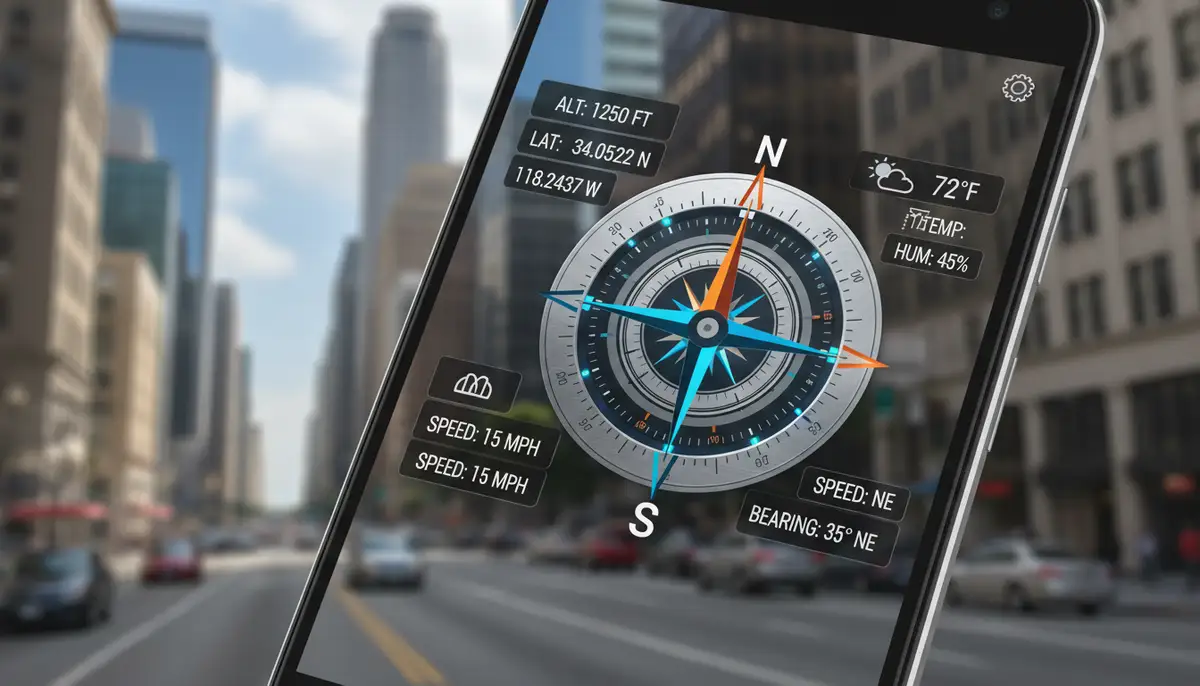
- GPS Coordinates: Displaying your current latitude and longitude is incredibly useful for pinpointing your exact location on a map or sharing it with others. Some widgets also show altitude.
- Altitude Readings: Knowing your elevation can be important for hiking, climbing, or even just understanding local topography. This data comes from GPS.
- Sunrise/Sunset Times: For outdoor enthusiasts, knowing when daylight begins and ends is crucial for planning activities and ensuring safety.
- Customization Options: The ability to change themes, colors, size, and the data displayed makes the widget truly yours. You want it to fit your home screen aesthetic.
- Offline Functionality: A reliable compass should work even without an internet connection. This is vital for remote areas where data is scarce.
- Integration with Maps: Some advanced widgets offer direct links to mapping applications. This allows you to switch seamlessly between compass and map views.
- Sensor Accuracy Indicator: A visual cue that tells you how accurate your compass reading currently is can be very helpful. It lets you know when recalibration might be needed.
Prioritize features that align with your primary use cases. A simple, elegant android compass widget might be perfect for daily use. However, a more feature-rich option is better for serious outdoor pursuits. Think about where and how you will use it most.
Top Android Compass Widget Apps in 2025
The Google Play Store offers a plethora of compass apps, many of which include robust widget functionality. Choosing the best android compass widget depends on your specific needs, from minimalist design to data-rich displays. Here are some highly-rated options and what they offer:
- Smart Compass: Often praised for its simplicity and accuracy, Smart Compass provides basic directional information, coordinates, and often includes a level meter. It's a great choice for users who want a no-frills, reliable compass.
- Digital Compass: This app, as highlighted by Android Authority's review of best compass apps, offers a straightforward compass and map integration. It supports longitude, latitude, and even direct addresses, making it quite versatile.
- Compass (by AndroGames) : Known for its ease of use, this simple and easy to use Compass retrieves useful information about your current position such as true Geographic north and true altitude above sea level. It’s perfect for quick checks on the go.
- Super Compass (by TNT Studio): Ranked highly, this No. 1 app in Travel & Local category in America is a comprehensive direction compass. It's robust and offers a great user experience. It's the direction compass you need to install on your phone.
When exploring the market, you might also come across popular widget solutions from companies like photowidget.net, colorwidgets.app, or Aesthetic Widgets. While these often focus on broader home screen customization, some may offer basic compass elements or integration. However, for a dedicated android compass widget, specialized apps often provide greater accuracy and more features. Always read reviews and check the app's permissions before installing.
Installing and Setting Up Your Android Compass Widget
Getting your android compass widget up and running is a straightforward process. It usually involves a few simple steps. Follow these instructions to add a reliable compass to your home screen.
- 1. Download the App: First, go to the Google Play Store and search for your chosen compass app. Download and install it on your Android device.
- 2. Grant Permissions: Upon first launch, the app will likely request permissions, especially for 'Location' and 'Sensors'. Granting these is crucial for the compass to function correctly. Without location, it cannot correct for true north.
- 3. Add the Widget to Your Home Screen:
- a. Long-press on an empty space on your home screen.
- b. Tap 'Widgets' from the options that appear.
- c. Scroll through the list until you find your installed compass app. It might have several widget sizes or styles.
- d. Tap and hold the desired android compass widget, then drag it to your preferred spot on your home screen.
- 4. Initial Calibration: Most compass apps will prompt you to calibrate the compass upon first use or if it detects inaccuracy. This often involves moving your phone in a figure-eight pattern. This process helps the sensors get a clear reading of the Earth's magnetic field. It removes interference.
Once installed, you can resize the android compass widget by long-pressing it and dragging the edges. You can also move it to a different home screen panel. This allows for optimal placement and visibility. For more ways to enhance your device, consider exploring a comprehensive guide to the Android counter widget to track habits or events directly from your home screen.
Advanced Tips and Tricks for Your Android Compass Widget
To maximize the utility and accuracy of your android compass widget, consider these advanced tips. These practices will ensure your compass remains a trusted guide.
- Frequent Calibration is Key: Calibrate your compass regularly, especially if you notice inconsistent readings or after traveling long distances. Magnetic fields can vary, affecting accuracy.
- Avoid Magnetic Interference: Keep your phone away from strong magnets. This includes magnetic phone cases, speakers, or even large metal objects. These can distort the magnetometer's readings. Remove any magnetic accessories before using your compass.
- Use with Other Navigation Tools: Integrate your compass widget with mapping apps. Use the compass to get a general direction. Then, switch to a map for detailed route planning. This combined approach offers the best of both worlds.
- Battery Considerations: While compass widgets are generally light on battery, constant GPS usage (for true north correction or altitude) can drain power. If battery life is critical, consider apps that allow you to toggle GPS features.
- Check for Updates: Developers frequently release updates that improve sensor accuracy, add new features, or fix bugs. Keep your compass app updated to benefit from the latest enhancements.
By following these tips, you can transform your android compass widget into an even more powerful navigational aid. It will serve you reliably in various scenarios, from daily commutes to remote adventures. Always be prepared with accurate directional information.
Customizing Your Android Compass Widget for Optimal Use
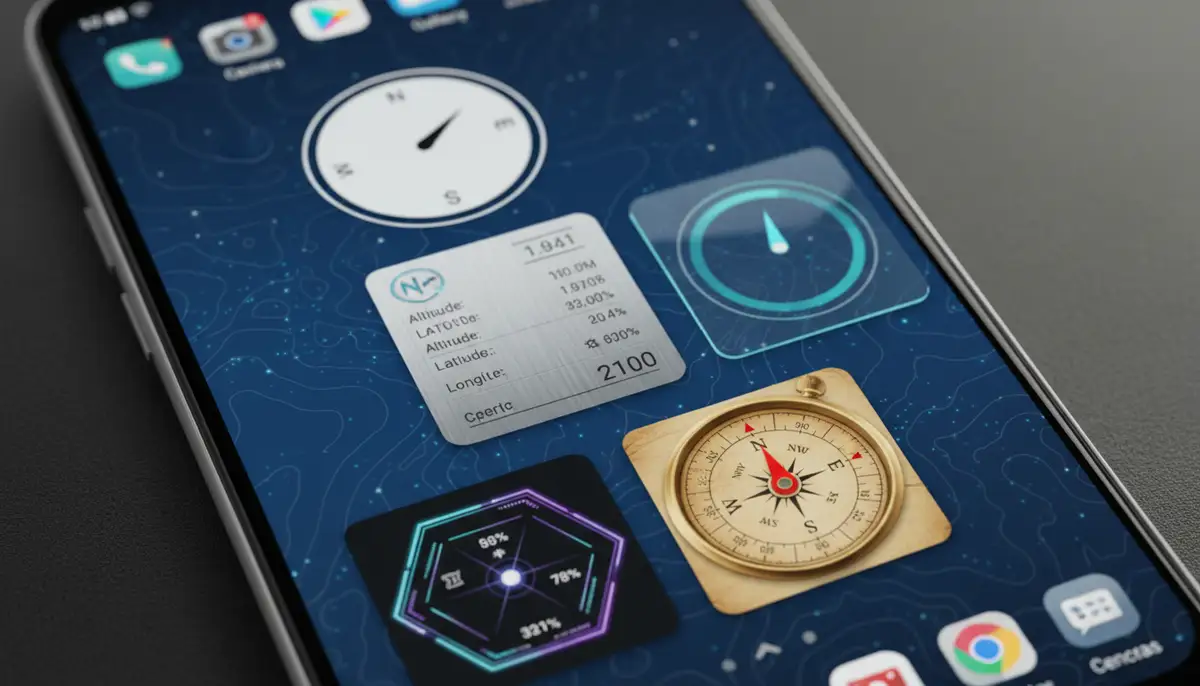
Personalization is a hallmark of the Android experience. Your android compass widget is no exception. Customizing its appearance and the information it displays can significantly enhance its usability and aesthetic appeal. You want your widget to look good and be functional.
- Resizing and Placement: Experiment with different widget sizes. A smaller widget might fit neatly into a corner. A larger one can display more data clearly. Place it where it's easily visible but doesn't obstruct other important icons.
- Themes and Colors: Many compass apps offer various themes, colors, and background options. Choose a theme that matches your overall home screen aesthetic. Some even allow for transparent backgrounds.
- Data Display Options: Decide what information is most crucial for you. Do you need just north, or also latitude, longitude, altitude, and even speed? Configure the widget to show only the data you need. This reduces clutter.
- Font Styles and Sizes: Adjusting font styles and sizes can improve readability, especially if you have visual impairments or prefer a minimalist look.
For ultimate customization, platforms like Widgetopia offer an expansive collection of over 100,000 free homescreen widgets for iPhone, iPad, and Android. While primarily known for broader widget customization, you can often find or even design your own compass elements within such powerful tools. This allows you to remix existing designs or create a truly unique android compass widget that perfectly fits your style and needs. It's a fantastic way to make your phone uniquely yours.
Troubleshooting Common Android Compass Widget Issues
Even the best technology can sometimes encounter glitches. If your android compass widget isn't working as expected, don't worry. Most issues are easily resolvable. Here are some common problems and their solutions.
| Issue | Possible Cause | Solution |
|---|---|---|
| Inaccurate Readings | Lack of calibration, magnetic interference, outdated app | Recalibrate the compass (figure-eight motion). Move away from metal/magnets. Update the app. |
| Widget Not Appearing | App not installed, widget not added correctly, app permissions missing | Ensure the app is installed. Re-add the widget from the widget picker. Check and grant all necessary app permissions. |
| App Crashes/Freezes | Software bug, insufficient device resources, conflicting apps | Clear the app's cache and data (Settings > Apps > [Compass App] > Storage). Restart your phone. Check for app updates. |
| Slow Response | Background apps, low device memory, old phone model | Close unnecessary background apps. Free up storage space. Consider a newer device if issues persist. |
| No GPS Data (Altitude/Coordinates) | Location services off, poor GPS signal, app permissions | Turn on device location (Settings > Location). Move to an open area for better signal. Grant location permission to the app. |
If these steps do not resolve your issue, consider reinstalling the app. You can also contact the app developer's support. They often provide specific troubleshooting guides. A properly functioning android compass widget is crucial for reliable navigation, so taking the time to fix any problems is worthwhile.
The Future of the Android Compass Widget
The evolution of mobile technology continues at a rapid pace. The android compass widget is no exception. We can anticipate even more sophisticated and integrated features in the coming years. Imagine a compass that does more than just point north.
- Augmented Reality (AR) Integration: Future compass widgets might overlay directional information directly onto your camera's view. This could guide you through complex environments with visual cues.
- Enhanced Battery Efficiency: Improvements in sensor technology and software optimization will lead to compass widgets that consume even less power, making them ideal for extended outdoor use.
- More Sophisticated Data Overlays: Expect widgets to integrate more real-time data. This could include weather patterns, topographic maps, and even social navigation elements.
- Wearable Integration: Seamless connectivity with smartwatches and other wearables will make directional information accessible without even pulling out your phone. This provides ultimate convenience.
- AI-Powered Predictive Navigation: Imagine a compass that not only tells you where north is but also suggests the best path based on terrain, weather, and your personal preferences.
These advancements promise to make the android compass widget even more intuitive and powerful. It will become an even more indispensable tool for navigating both the physical and digital worlds. The future looks bright for mobile navigation. Just as you can master your inbox with an Android email widget, you'll soon master your surroundings with an advanced compass widget.
Conclusion: Your Reliable Guide, Always in Hand
The android compass widget is more than just a simple directional tool. It's a testament to the power of modern smartphone technology. It brings practical utility and peace of mind directly to your home screen. From navigating wilderness trails to finding your way in a bustling city, a reliable compass is invaluable. It provides instant access to crucial directional information.
By understanding how these widgets work, choosing the right features, and keeping them calibrated, you unlock their full potential. Whether you're an adventurer or simply someone who appreciates knowing their bearings, an android compass widget is a smart addition to your digital toolkit. It empowers you to explore your world with confidence and clarity. Ready to enhance your phone's capabilities? Explore more home screen widgets to customize your device even further.