


Master Your Device: The Ultimate Guide to Aesthetic Widgets in 2025
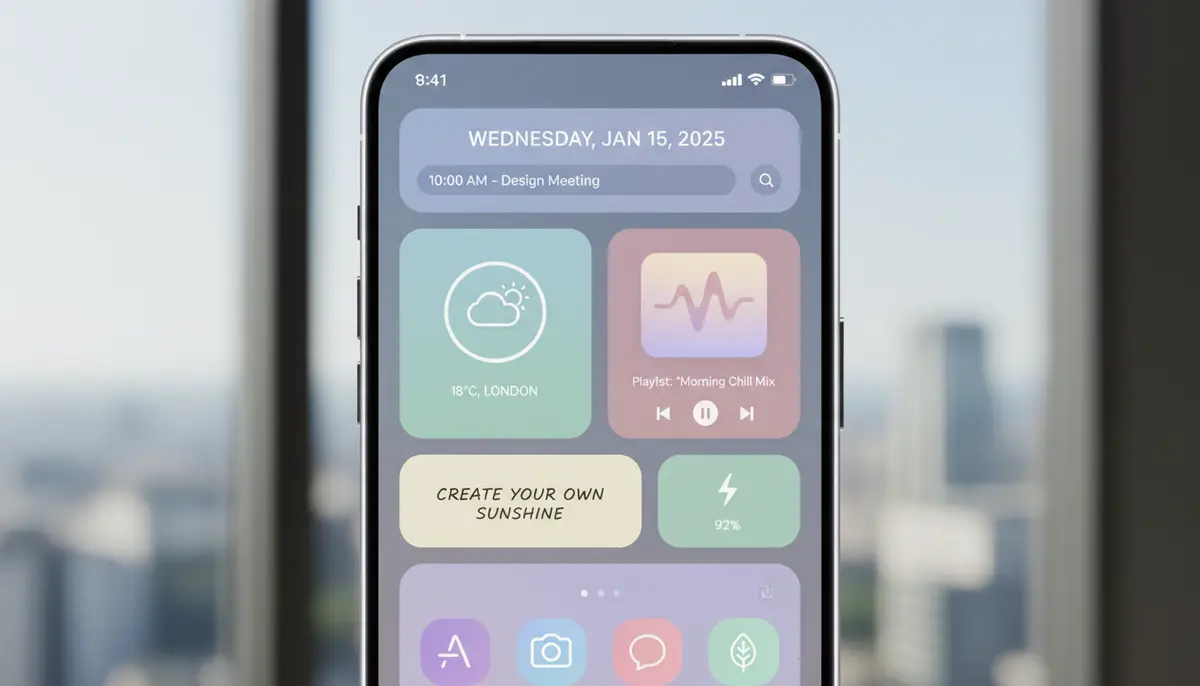
Unlock Your Digital Canvas: The Power of Aesthetic Widgets in 2025
In 2025, your smartphone is more than just a tool. It is an extension of your personality, a digital canvas waiting for your unique touch. This is where aesthetic widgets come into play. They are the key to transforming a generic device into a personalized masterpiece. Imagine a home screen that not only looks stunning but also enhances your daily flow. That is the promise of well-designed aesthetic widgets.
Gone are the days of boring, static app grids. Today, you can curate every pixel to reflect your style, mood, and productivity needs. This guide will walk you through everything about aesthetic widgets. You will learn how to choose them, create them, and integrate them seamlessly. Get ready to elevate your digital experience like never before.
Why Aesthetic Widgets Are Essential for Your Digital Life
The digital world moves fast. In 2025, our phones are central to almost everything we do. From work to social life, they are always with us. Therefore, the visual appeal and functionality of your device truly matter. Aesthetic widgets offer a powerful blend of both.
- Personal Expression: Your phone becomes a reflection of your unique taste. You can showcase your favorite colors, fonts, and images.
- Enhanced Productivity: Quick access to information without opening apps saves time. Weather, calendar, and task lists are glanceable.
- Digital Wellness: A calm, organized screen can reduce visual clutter. This helps you focus and feel less overwhelmed.
- Trend Alignment: Customization is a major trend in 2025. Aesthetic widgets keep your device feeling modern and fresh.
Think about it: every time you unlock your phone, you see your chosen aesthetic. This small visual cue can impact your mood and efficiency throughout the day. Investing time in setting up aesthetic widgets is an investment in your daily digital well-being.
Discovering Your Perfect Aesthetic: Styles and Themes
Before diving into specific apps and tools, consider what aesthetic truly speaks to you. Do you prefer minimalist, vibrant, dark academia, or perhaps a cottagecore vibe? Understanding your preferred style is the first step to creating a cohesive home screen with aesthetic widgets.
- Minimalist: Clean lines, neutral colors, simple fonts. Focus on functionality without clutter.
- Vibrant & Bold: Bright colors, playful designs, expressive typography. Perfect for a lively, energetic feel.
- Dark Academia: Rich, muted tones, vintage elements, classic fonts. Evokes a sense of intellectual curiosity.
- Cottagecore: Earthy palettes, floral patterns, whimsical illustrations. Creates a cozy, natural ambiance.
- Cyberpunk: Neon accents, dark backgrounds, futuristic fonts. Ideal for a high-tech, edgy look.
You can find endless inspiration online. Platforms like Pinterest are treasure troves for ideas. Explore different 'Widget Aesthetics' boards to gather concepts. Save images that resonate with you. This visual research will guide your choices for aesthetic widgets.
Top Categories of Aesthetic Widgets You Need to Try
Aesthetic widgets come in countless forms, each serving a unique purpose. Here are some of the most popular categories. They can help you personalize your device and improve your daily interactions.
1. Clock and Date Widgets
These are often the focal point of any home screen. Forget the default digital clock. Aesthetic widgets offer beautiful analog designs, custom fonts, and unique layouts. You can match them perfectly with your chosen theme. Many even include the date, day of the week, or upcoming events.
2. Weather Widgets
Stay informed about the weather without opening an app. Aesthetic weather widgets display current conditions, forecasts, and temperature in a stylish way. Choose from minimalist icons, detailed animated backgrounds, or elegant text-based displays. They blend seamlessly into your overall design.
3. Photo and Gallery Widgets
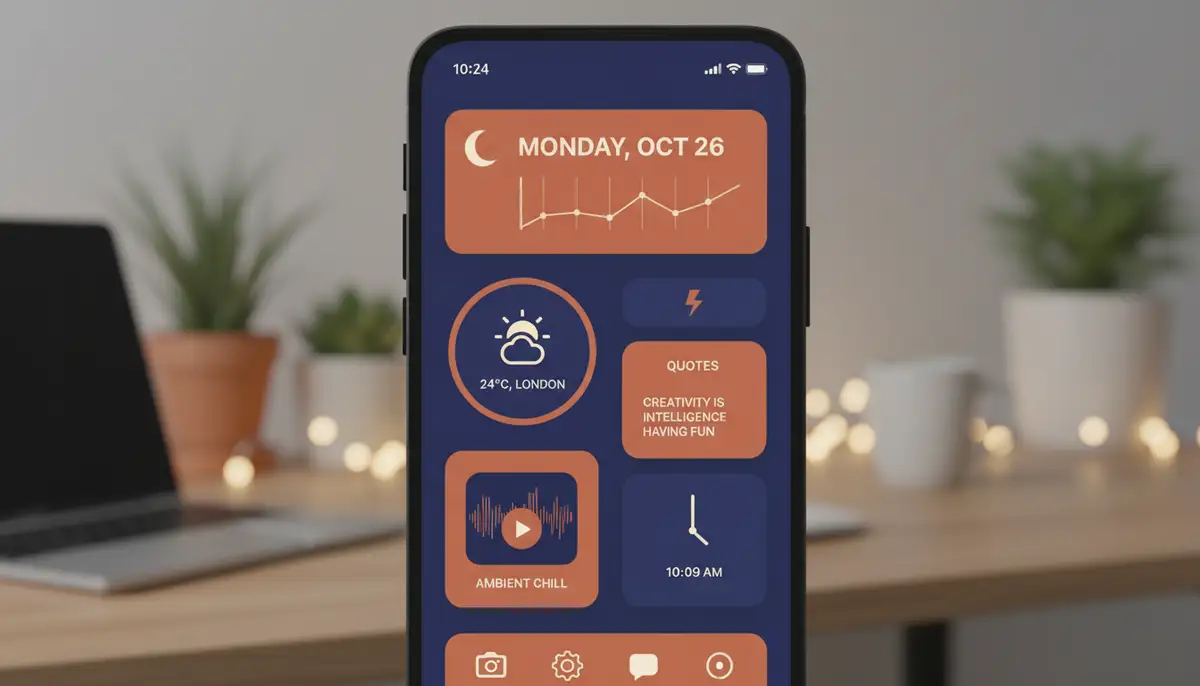
Showcase your favorite memories directly on your home screen. Photo widgets allow you to display single images or rotating galleries. You can set them to show family photos, inspiring quotes, or aesthetic wallpapers. This adds a deeply personal touch to your device. These are truly versatile aesthetic widgets.
4. Battery Widgets
Keep an eye on your device's power levels with style. Battery widgets offer more than just a percentage. They can show battery life in sleek bars, custom icons, or even animated graphics. Some even display the battery levels of connected accessories, like headphones. They are practical aesthetic widgets.
5. Calendar and Reminder Widgets
Organize your life with elegant calendar and reminder widgets. See your upcoming appointments, tasks, or important dates at a glance. Many offer different views, from daily agendas to monthly overviews. They help you stay on track while maintaining your chosen aesthetic.
6. Quick Launcher Widgets
Access your most-used apps with a single tap. Quick launcher widgets let you create custom shortcuts to specific apps or functions. You can design the icons and labels to match your theme. This makes your phone not just pretty but also incredibly efficient. These are highly functional aesthetic widgets.
Platforms and Tools for Creating Aesthetic Widgets
Whether you are an iOS or Android user, a wealth of apps and tools exist to help you design stunning aesthetic widgets. Each platform has its unique offerings. Let's explore some of the best options available in 2025.
A. For iOS Users
Apple's iOS has embraced widgets with open arms. Many powerful apps allow for deep customization. You can easily find and create beautiful aesthetic widgets for your iPhone or iPad.
- Widgetsmith: A pioneer in custom widgets, Widgetsmith allows you to create highly personalized widgets for time, date, weather, photos, and more. You can customize fonts, colors, and background images. It’s a favorite for many looking for unique aesthetic widgets.
- ColorWidgets: As the name suggests, this app focuses on vibrant, color-rich designs. It offers a wide range of pre-designed templates for clocks, calendars, and battery indicators. It’s perfect if you want to add a pop of color to your home screen.
- Aesthetic: App icons & Widgets: This app provides a comprehensive suite for customization. You can download it directly from the App Store. It offers not only aesthetic widgets but also custom app icons. This helps you achieve a fully cohesive look across your device.
Many users also leverage the native iOS Shortcuts app. It can create custom app icons and automate tasks. This adds another layer of personalization to your home screen widgets. Remember to check out our detailed guide on aesthetic widget images for more inspiration.
B. For Android Users
Android has long been the king of customization. The platform offers incredible flexibility for aesthetic widgets. You have even more freedom to design and implement your unique vision.
- Widget: Aesthetic Widgets: This app is a fantastic choice for Android users. You can download it from the Google Play Store to explore excellent styles. It provides a vast library of customizable widgets for various functions, focusing heavily on visual appeal.
- KWGT Kustom Widget Maker: For advanced users, KWGT offers unparalleled control. You can design widgets from scratch using a powerful editor. It supports complex data integration and animations. This allows for truly unique aesthetic widgets.
- Nova Launcher (and similar launchers): While not a widget app itself, custom launchers like Nova Launcher enhance the widget experience. They provide grid size control, icon pack support, and gesture controls. These features complement your aesthetic widgets perfectly.
The Android ecosystem thrives on choice. You can mix and match different apps to achieve your desired look. This flexibility makes creating stunning aesthetic widgets a truly rewarding experience.
Widgetopia: Your Ultimate Hub for Aesthetic Widgets

When it comes to comprehensive solutions for both iOS and Android, Widgetopia stands out. We offer a vast collection of over 100,000 free homescreen widgets. You can remix existing designs or create your own from scratch. Our platform empowers you to bring any aesthetic vision to life. Widgetopia is designed to be user-friendly for beginners and powerful for advanced customizers. We believe everyone deserves a personalized digital experience with amazing aesthetic widgets.
How to Create Your Own Aesthetic Widgets: A Step-by-Step Guide
Ready to get hands-on? Creating your own aesthetic widgets is simpler than you might think. While specific steps vary by app, the general process remains consistent. Here’s a universal guide to get you started.
Step 1: Choose Your Widget App
Select an app that aligns with your platform and skill level. For beginners, apps like Widgetsmith (iOS) or Widget: Aesthetic Widgets (Android) are excellent. For more advanced customization, consider KWGT (Android) or Widgetopia (both platforms). This choice is crucial for your aesthetic widgets journey.
Step 2: Select Widget Type and Size
Most widget apps offer various sizes: small, medium, and large. Think about what information you want to display and how much screen real estate you want to dedicate. A small widget might be for a single icon, while a large one could be a photo gallery or detailed calendar.
Step 3: Customize the Design
This is where the magic happens. Dive into the customization options. You can change:
- Background: Solid colors, gradients, images, or even transparent backgrounds.
- Fonts: Choose a typeface that matches your aesthetic. Adjust size and color.
- Colors: Select a cohesive color palette for all elements within the widget.
- Elements: Add or remove specific data points like time, date, weather icons, battery levels, etc.
- Borders & Shadows: Add subtle touches to make your aesthetic widgets stand out.
Step 4: Add to Home Screen
Once your aesthetic widgets are designed, long-press on an empty space on your home screen. Select the 'Widgets' option. Find your chosen widget app and select the size you created. Drag and drop it onto your home screen. You can then reposition it as needed.
For a visual walkthrough of some excellent options, watch this video:
. It provides great examples and practical advice for enhancing your home screen with functional and aesthetic widgets.Advanced Tips for a Cohesive Aesthetic
Creating individual aesthetic widgets is a great start. However, achieving a truly stunning home screen requires a holistic approach. Here's how to ensure everything works together harmoniously.
1. Choose a Consistent Color Palette
Stick to 2-4 primary colors and a few accent colors. Apply this palette across your wallpaper, aesthetic widgets, and app icons. This creates a visually pleasing and unified look. Tools like color palette generators can help you find complementary shades.
2. Match Your Wallpaper
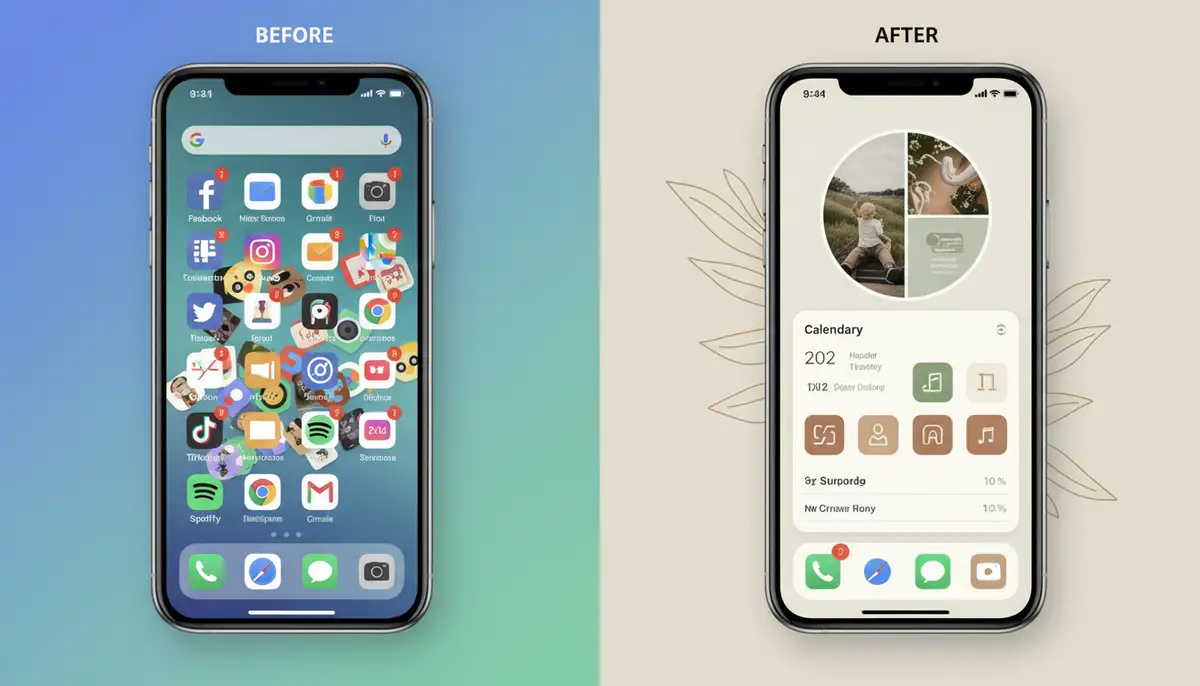
Your wallpaper is the foundation of your home screen. Select one that complements your aesthetic widgets. A busy wallpaper can clash with detailed widgets. Consider minimalist or abstract wallpapers if your widgets are complex. Alternatively, use a simple wallpaper if your aesthetic widgets are the star.
3. Custom App Icons
Don't stop at aesthetic widgets. Custom app icons are the next step for complete personalization. Many apps, including Widgetopia, allow you to change app icons. You can use icon packs or create your own. This ensures every element on your home screen fits your theme.
4. Layout and Spacing
Pay attention to how your aesthetic widgets are arranged. Leave some empty space for a cleaner look. Group related widgets together. Experiment with different grid layouts until you find what feels right. A balanced layout improves both aesthetics and usability.
For more inspiration on specific themes, you might want to explore articles like our guide to aesthetic green widgets. It offers unique ideas for a nature-inspired digital space.
Comparing Aesthetic Widget Solutions
The market for aesthetic widgets is vibrant. Many companies offer excellent tools. Here’s a quick comparison of some popular options, including our own Widgetopia, and competitors like Aesthetic Widgets, colorwidgets.app, and widgetsmith.app.
| Feature | Widgetopia | Widgetsmith.app | Colorwidgets.app | Aestheticwidgets.com |
|---|---|---|---|---|
| Platform Support | iOS, Android | iOS only | iOS only | iOS, Android (templates) |
| Free Widgets (Quantity) | 100,000+ | Limited free, more paid | Limited free, more paid | Varies by template/app |
| Customization Depth | High (remix/create) | High | Medium | Varies by template/app |
| App Icons Included | Yes | No | No | Yes (via templates) |
| Ease of Use | Beginner-friendly to Advanced | Medium | Easy | Medium |
| Community/Sharing | Yes | Limited | Limited | Varies |
As you can see, solutions like Widgetopia aim to provide a comprehensive experience. While widgetsmith.app is excellent for iOS, and colorwidgets.app offers great color options, our focus is on broad platform support and a massive free library. Aesthetic Widgets also provides great template options. We believe in empowering users with maximum choice and creative freedom for their aesthetic widgets.
Troubleshooting Common Aesthetic Widget Issues
Even with the best tools, you might encounter a few hiccups. Here are some common issues and their quick fixes to keep your aesthetic widgets running smoothly.
- Widget Not Updating: Ensure the app has background refresh enabled. Check your phone's battery optimization settings. Sometimes, simply removing and re-adding the widget fixes it.
- Widget App Crashing: Update the app to the latest version. Clear the app's cache (Android) or reinstall it (iOS/Android). Restart your device.
- Blank Widget: This often happens if the widget app's data is corrupted or if permissions are missing. Check app permissions. Reconfigure the widget within the app.
- Performance Issues: Too many complex aesthetic widgets can slow down older phones. Try reducing the number of animated widgets. Opt for simpler designs.
Most problems are minor and easily resolved. If you're still stuck, check the app's support page or community forums. Many users share solutions for common issues related to aesthetic widgets.
The Future of Aesthetic Widgets: What to Expect
The world of aesthetic widgets is constantly evolving. In 2025 and beyond, we can expect even more innovation. Here are some trends to look out for:
- AI-Powered Personalization: Widgets that learn your habits and dynamically adjust content. They could show relevant information at the perfect time.
- Augmented Reality (AR) Integration: Imagine widgets that interact with your physical environment. This could overlay digital information onto real-world views.
- Deeper System Integration: More seamless interaction with device settings and other apps. This would allow for even more powerful aesthetic widgets.
- Interactive Widgets: Widgets that allow direct interaction without launching the full app. This means more functionality right on your home screen.
- Cross-Platform Harmony: Better synchronization of aesthetic widgets across different devices and operating systems. Your phone, tablet, and even smart displays could share a consistent look.
These advancements will make aesthetic widgets even more intelligent, beautiful, and indispensable. The future promises an even more integrated and personalized digital experience for everyone.
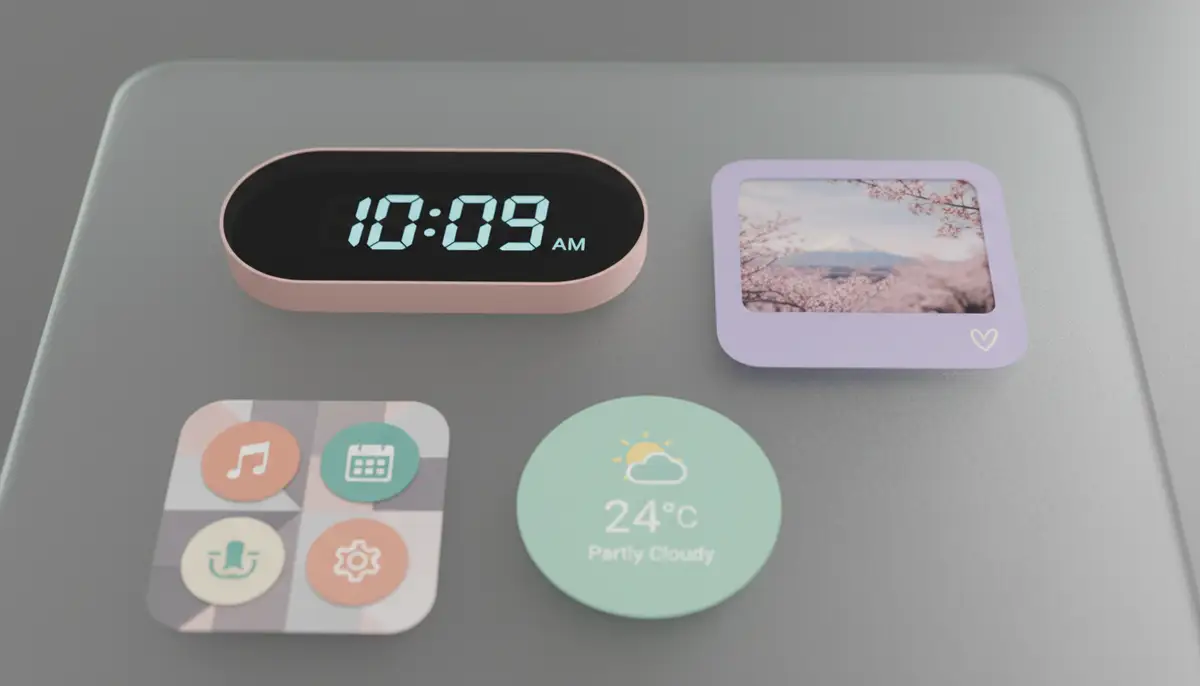
Conclusion: Your Phone, Your Masterpiece with Aesthetic Widgets
You now have the knowledge and tools to completely transform your digital world. Aesthetic widgets are not just about looks. They are about creating a more personal, efficient, and enjoyable interaction with your device. From choosing your style to mastering customization, you are in control.
Embrace the power of personalization. Experiment with different apps and designs. Let your creativity shine through every pixel of your screen. Your phone is a reflection of you, so make it truly yours with stunning aesthetic widgets. Ready to get started? Explore Widgetopia's vast collection of home screen widgets today and unlock your device's full potential!