


The Ultimate Guide to Widget Notes Android in 2025: Boost Your Productivity
The Ultimate Guide to Widget Notes Android in 2025: Boost Your Productivity
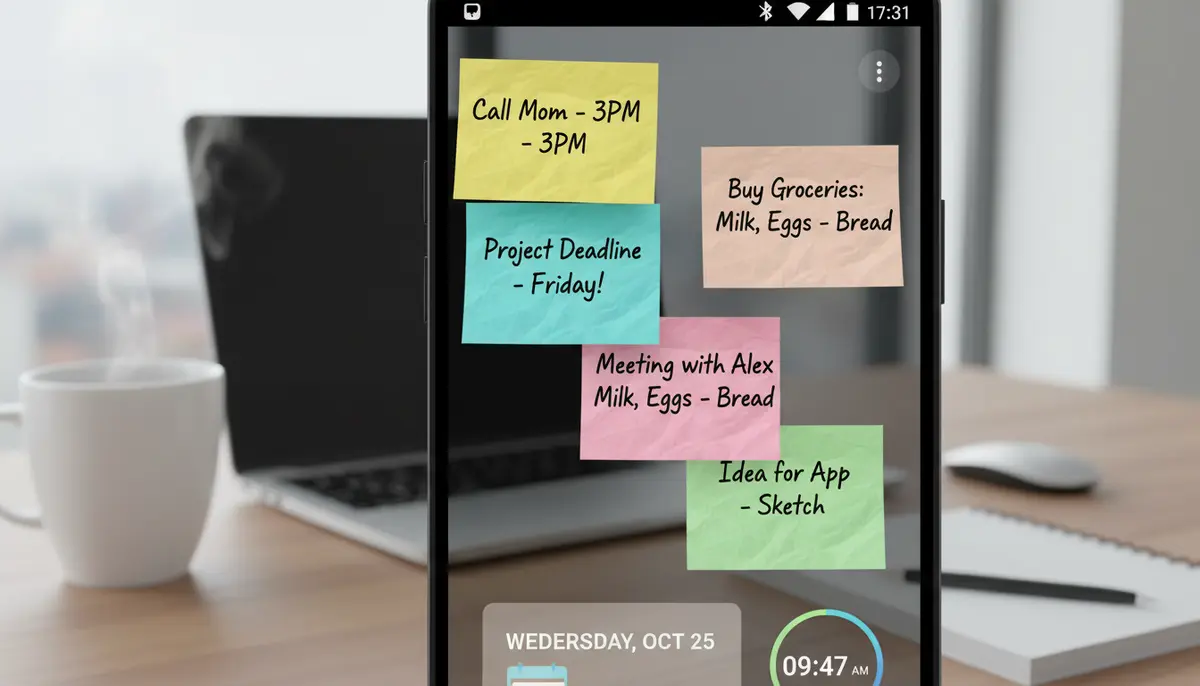
In today's fast-paced world, staying organized and productive is more crucial than ever. For Android users, one of the most powerful tools at your disposal is the humble but mighty widget note. These incredibly useful tools give you instant access to your thoughts, tasks, and reminders directly from your home screen. This guide will dive deep into everything you need to know about widget notes Android offers in 2025, helping you master your digital workspace.
Imagine never forgetting a crucial task or a brilliant idea again. That's the power of effective widget notes on Android. They transform your device into a personalized command center. You gain quick glances at important information without even opening an app. Let's explore how to make the most of this essential feature.
What Are Widget Notes Android and Why Do You Need Them?
At its core, an Android widget is a small, interactive application that lives on your home screen. It provides quick information or functionality without requiring you to open the full app. When we talk about widget notes Android, we mean these specific widgets designed for note-taking, reminders, and to-do lists. They are essentially digital sticky notes for your phone.
You might be wondering, 'Why not just use a regular note-taking app?' The key difference is accessibility. A note app requires you to open it, navigate, and then find your note. A widget note, however, is always there. It sits prominently on your home screen, constantly reminding you of what matters most. For a broader understanding of this feature, check out our ultimate guide to what is a widget on Android.
The benefits are clear. You reduce app-switching, saving precious seconds throughout your day. Visual reminders keep your priorities front and center, leading to better task completion. Whether it's a grocery list, a meeting agenda, or a creative thought, widget notes android ensures your important information is just a glance away. This immediate access boosts your focus and overall productivity significantly.
The Evolution of Widget Notes on Android
Android widgets have come a long way since their inception. Early versions were often basic, offering minimal customization and functionality. They were simple text boxes that served their purpose but lacked flair. Over time, as Android matured, so did its widget capabilities. Developers began to explore more interactive and visually appealing options for widget notes android.
Today, we see a vast array of sophisticated widget notes. They range from simple sticky notes to complex checklists with interactive checkboxes and even integrated reminders. The demand for more advanced features, such as notes that are always open on the home screen, has been a consistent topic in developer communities, as seen in discussions like the Joplin app's community forum regarding Android widgets. This evolution reflects a growing need for personalized and efficient mobile organization.
Types of Widget Notes Android Offers
The versatility of widget notes android means there's a type for almost every need. Understanding the different categories can help you choose the best tools for your productivity workflow.
Sticky Note Widgets
These are the most common type. They are perfect for jotting down quick thoughts, phone numbers, or short reminders. You can often customize their color and size to make them stand out or blend in with your home screen aesthetic. They serve as immediate visual cues for important information.
Checklist Widgets
For tasks and to-do lists, checklist widgets are indispensable. You can create a list of items and often check them off directly from the widget. This immediate interaction makes managing your daily tasks incredibly efficient. Shopping lists, project steps, or daily routines become easy to track.
Reminder Widgets
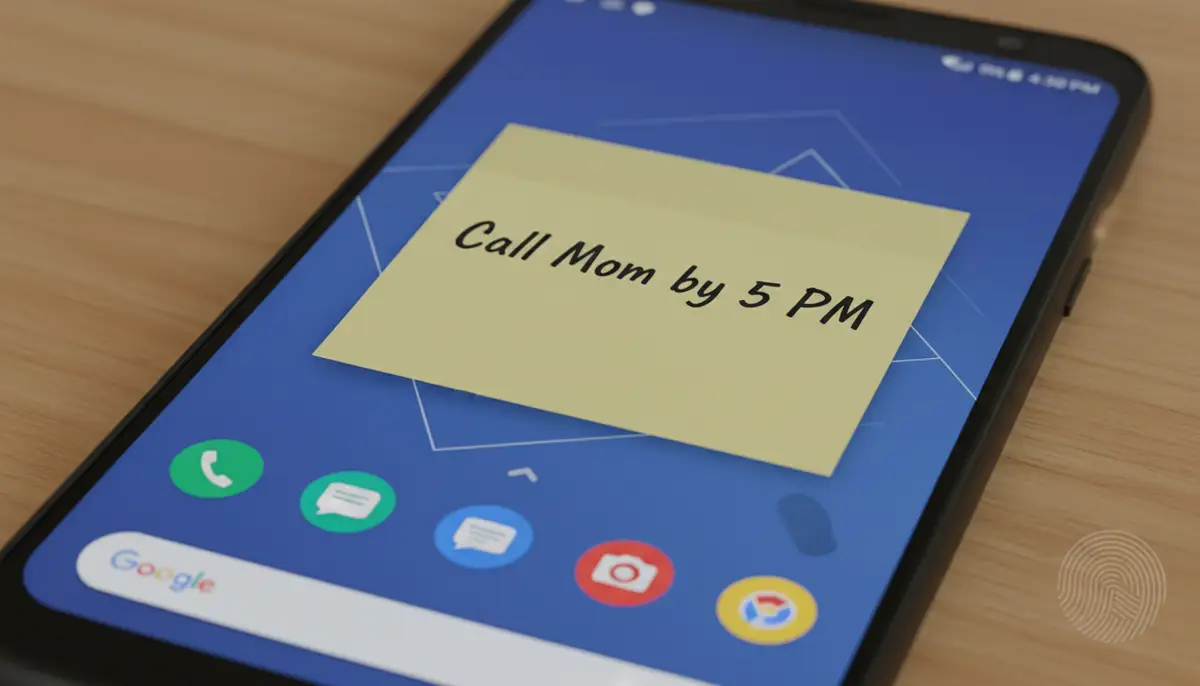
Some widget notes android apps offer dedicated reminder widgets. These can be time-sensitive, popping up with alerts for appointments, deadlines, or recurring events. They ensure you never miss an important date or task. They are more proactive than simple sticky notes.
Interactive Widgets
Beyond basic display, many modern widget notes allow for direct interaction. You can mark tasks complete, add new items, or even scroll through multiple notes without ever opening the main application. This level of functionality truly integrates your notes into your daily phone usage.
How to Add Widget Notes to Your Android Home Screen
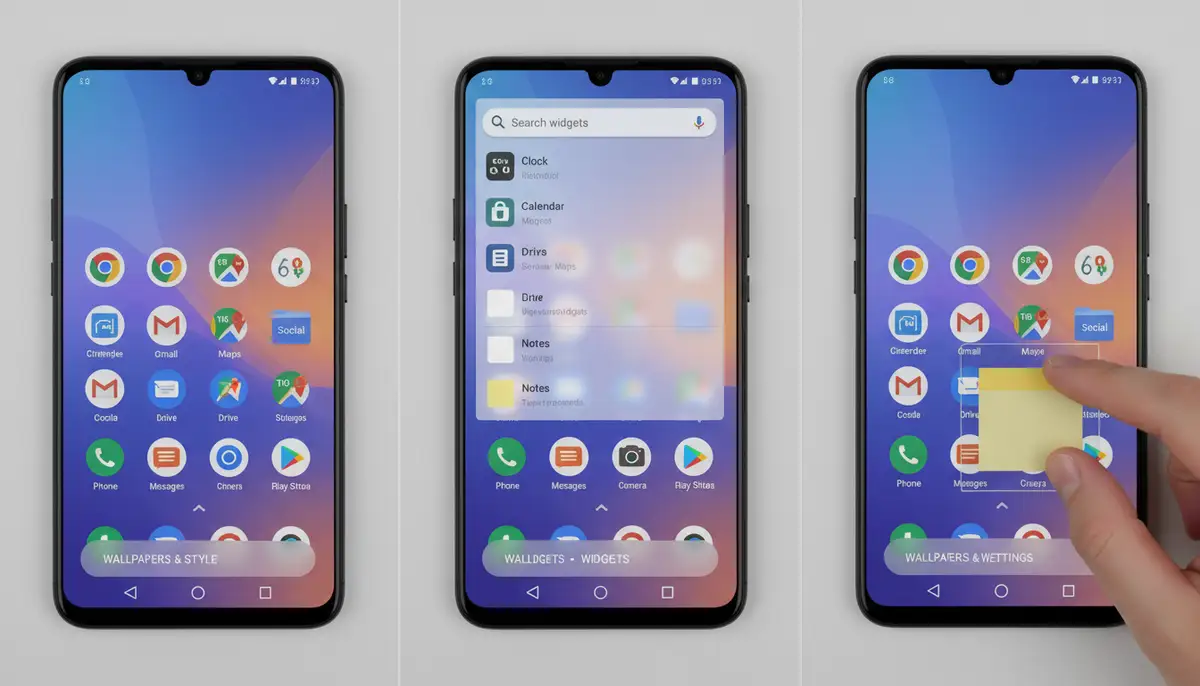
Adding widget notes to your Android home screen is a straightforward process. It typically involves a few simple steps, regardless of your Android device model. Once you understand the basic method, you can add any widget, including your favorite note-taking ones. Let's walk through it.
- Touch and hold an empty space on your Android home screen.
- A menu will pop up, usually with options like 'Widgets', 'Wallpapers & Style', and 'Home screen settings'. Tap on 'Widgets'.
- Scroll through the list of available widgets until you find the note-taking app you want to use (e.g., Google Keep, Another Note Widget, or Widgetopia).
- Tap on the app's name to see its available widget styles and sizes. Some apps offer multiple options, like a single note, a list of notes, or a specific reminder.
- Touch and hold the desired widget, then drag it to your preferred spot on the home screen. Release your finger.
- You may be prompted to configure the widget, such as selecting a specific note to display or choosing a color scheme. Follow the on-screen instructions.
It's that simple! Your chosen widget notes android will now be live on your home screen, ready to keep you organized. For a detailed guide on adding widgets, particularly for Google Keep, you can refer to the official Google Keep support page on adding widgets. Experiment with different sizes and locations to find what works best for your layout.
Top Widget Notes Android Apps in 2025
The market for widget notes android apps is vibrant, with many excellent choices available. Each app offers unique features, customization options, and integration capabilities. Here’s a look at some of the top contenders you should consider in 2025, including a standout option for ultimate customization.
Google Keep Notes
Google Keep remains a popular choice for many. Its seamless integration with the Google ecosystem makes it incredibly convenient for users already invested in Google services. You can quickly create notes, lists, and even voice memos. Keep's widget notes android options are robust, allowing you to display individual notes, a list of recent notes, or even a quick capture button directly on your home screen. It's simple, reliable, and effective for basic needs.
Another Note Widget
As its name suggests, 'Another Note Widget' focuses specifically on providing excellent widget functionality. This app excels in offering a variety of designs and themes, allowing for significant visual customization. It’s perfect for those who want their widget notes android to look as good as they are functional. You can find more details and download it from Another Note Widget on Google Play. It prioritizes aesthetics alongside utility.
Widgetopia
For the ultimate in customization and variety, Widgetopia stands out. We offer a vast collection of over 100,000 free homescreen widgets for both Android and iOS. This includes an incredible array of widget notes android designs. Unlike many other apps, Widgetopia empowers you to remix existing widgets or even design your own from scratch. If you're looking for a personalized and unique widget notes experience, Widgetopia provides unparalleled flexibility. You can create notes that perfectly match your aesthetic and functional needs, going far beyond standard options.
Other Notable Mentions
Several other apps also offer compelling widget notes android solutions. Companies like Aesthetic Widgets focus on beautiful, pre-designed options, while colorwidgets.app specializes in vibrant, color-coordinated widgets. Photowidget.net provides solutions that integrate photos into your notes and reminders. While these competitors offer great features, Widgetopia's sheer volume of options and design capabilities often provide a more comprehensive and personalized experience for your widget notes android needs.
Customizing Your Widget Notes Android Experience
Personalization is key to making your Android device truly yours. With widget notes android, customization goes beyond just picking a color. It involves tailoring the look, feel, and even the behavior of your notes to fit your style and workflow. A well-customized widget can improve both aesthetics and functionality. It makes your home screen more inviting and more efficient.
| Customization Feature | Impact on Widget Notes |
|---|---|
| Themes & Colors | Personalizes look, matches home screen wallpaper, or stands out for emphasis. |
| Fonts & Sizes | Improves readability, allows for different visual hierarchies, and adds aesthetic appeal. |
| Transparency | Blends seamlessly with your wallpaper, creating a cleaner, less cluttered appearance. |
| Interactive Elements | Adds direct functionality like checkboxes or scrollable content, enhancing usability without opening the app. |
| Background Images | Uses personal photos or custom graphics as the note background, making it truly unique. |
Apps like Widgetopia truly shine in this area. They offer extensive tools to modify every aspect of your widget notes android. You can adjust colors, fonts, backgrounds, and even add custom images to your notes. This level of detail ensures that your widget notes not only serve their purpose but also enhance the overall look of your home screen. You are not just using a note; you are creating a personalized digital artifact.
Advanced Tips and Tricks for Widget Notes Android
Beyond basic usage, there are several advanced strategies to maximize the utility of your widget notes android. These tips can help you integrate notes more deeply into your daily routine and extract even more productivity from them. Think of your home screen as a strategic dashboard.
Integrating with Other Apps
Some advanced widget notes android solutions can integrate with other productivity apps. For example, a note widget might pull data from your calendar to remind you of upcoming events, or from a task manager to show your most urgent to-dos. This creates a centralized hub for your critical information. Look for apps that offer these cross-app functionalities to streamline your workflow.
Utilizing Multiple Widgets
Don't limit yourself to just one note widget. You can dedicate different widget notes android to different aspects of your life. Have one for work tasks, another for personal reminders, and a third for creative ideas. This categorization helps keep your thoughts organized and prevents mental clutter. Each widget serves a specific purpose, making information retrieval faster.
Battery Life Considerations
While modern Android devices are highly optimized, it's worth noting that highly interactive or frequently updating widget notes can sometimes have a minor impact on battery life. Most well-designed apps manage this efficiently. However, if you notice significant battery drain, consider reducing the number of complex widgets or checking the app's settings for optimization options. Simpler widget notes android typically consume less power.
Security and Privacy
Since widget notes display information directly on your home screen, be mindful of what sensitive data you place there. Avoid putting highly confidential passwords or personal financial details on a widget that anyone can see. Use your device's screen lock for basic security. For sensitive notes, always rely on secure, encrypted note-taking apps that require authentication. Your widget notes android should be for quick, non-sensitive reminders.
Choosing the Best Widget Notes Android Solution for You
With so many options available, selecting the perfect app for widget notes android can feel overwhelming. The best choice depends entirely on your personal needs, preferences, and how you typically use your phone. Consider these factors before making your decision.
- Ease of use: How intuitive is the app for creating, editing, and managing notes and widgets?
- Customization options: Does it offer the visual flexibility you desire for your home screen?
- Integration capabilities: Can it connect with other apps or services you use daily?
- Performance and battery impact: Is the app lightweight and optimized for minimal resource consumption?
- Price (free vs. premium features): Does the free version meet your needs, or are premium features essential?
- Developer support and updates: Is the app regularly updated and well-supported by its creators?
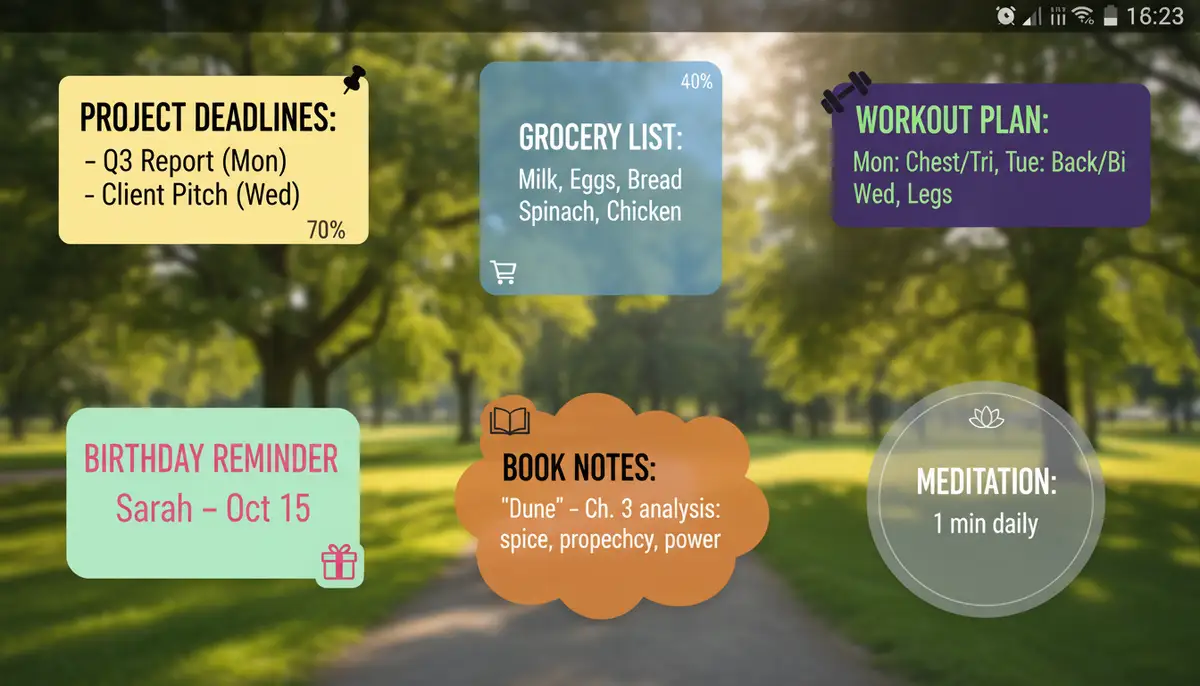
If extensive customization and a vast library of designs are your priority, Widgetopia is an excellent choice. It allows you to truly make your widget notes android unique. If you prefer simplicity and Google ecosystem integration, Keep Notes might be better. Evaluate your own habits to find the perfect match. The right tool enhances your productivity, rather than hindering it.
The Future of Widget Notes Android
The landscape of mobile technology is constantly evolving, and widget notes android are no exception. We can anticipate even more sophisticated features in the coming years. Artificial intelligence (AI) is likely to play a significant role, offering smart suggestions and predictive note-taking. Imagine a widget that automatically creates a grocery list based on your fridge's contents or reminds you of a task based on your location and calendar.
Enhanced interactivity will also become standard. We might see widget notes that dynamically change content based on context, such as displaying different tasks depending on the time of day or your current work project. Integration with smart home devices and wearables could also expand their utility. The goal is an even more seamless and intelligent personal assistant right on your home screen, making widget notes android even more indispensable.
Troubleshooting Common Widget Notes Android Issues
Even with the best apps, you might occasionally encounter minor issues with your widget notes android. Most problems are easy to resolve with a few simple troubleshooting steps. Don't let a small glitch derail your productivity; here are some common issues and their solutions.
Widget Not Appearing
If you've added a widget but can't see it, first ensure there's enough space on your home screen. Sometimes, a simple device restart can resolve the issue. Also, check the app's permissions in your phone settings to ensure it has permission to draw over other apps or access necessary data. Occasionally, the app itself might need an update from the Play Store.
Widget Not Updating
If your widget notes android aren't showing the latest information, check the app's settings for a 'refresh interval' or 'background data' option. Ensure background app refresh is enabled for the note app. You might also try removing and re-adding the widget. Sometimes, clearing the cache for the specific note app in your phone's app settings can fix synchronization problems. A stable internet connection is also crucial for cloud-synced notes.
Performance Lags
If your home screen feels slow after adding many widget notes, consider reducing the number of highly interactive widgets. Some older devices might struggle with too many dynamic elements. Ensure your Android OS is updated to the latest version, as updates often include performance improvements. Clearing your phone's overall cache or closing unused background apps can also help. Most modern widget notes android are optimized, but resource-intensive designs can still affect older hardware.
Unlock More Home Screen Potential
Widget notes android are just one piece of the puzzle when it comes to customizing your device. Your home screen can become a powerful dashboard for all your essential information. Explore other types of widgets, such as weather, calendar, or even custom app launchers. For instance, you might find our comprehensive guide to the Android Clock Widget helpful in further enhancing your home screen's functionality and aesthetics. The possibilities are truly endless.
By strategically using various home screen widgets and personalizing them to your needs, you can create a mobile experience that is uniquely efficient and enjoyable. Don't settle for a generic phone setup. Take control and design a digital environment that supports your goals and reflects your style. Widget notes android are a fantastic starting point for this journey.
Conclusion: Master Your Productivity with Widget Notes Android
Widget notes android offer an unparalleled way to keep your most important information front and center. They provide instant access, visual reminders, and a significant boost to your daily productivity. From simple sticky notes to interactive checklists, the variety available in 2025 ensures there's a perfect solution for everyone. You can transform your phone into a highly efficient personal assistant.

By understanding how to add, customize, and effectively utilize widget notes, you unlock a new level of mobile organization. Whether you choose Google Keep for its simplicity or Widgetopia for its unmatched customization, integrating widget notes android into your daily routine is a smart move. Start exploring the possibilities today and take control of your digital life. Your future, more productive self will thank you.