


Mastering Your Digital Privacy: The Ultimate Guide to the App Photo Locker in 2025
Why Your Photos Need an App Photo Locker in 2025
In our increasingly digital world, personal privacy has become a top concern. Our smartphones hold countless memories, from everyday snapshots to deeply personal moments. You might share your phone with family, friends, or even colleagues. This sharing often raises questions about what others might stumble upon. This is where an app photo locker becomes essential. It provides a secure, private space for your sensitive images and videos. Think of it as your digital safe deposit box, specifically designed for media files. Using an app photo locker ensures your private moments stay private, giving you complete peace of mind.
The need for robust privacy solutions is growing. Data breaches and unauthorized access are common threats. A dedicated photo locker app helps you take control. It adds an extra layer of security beyond your phone's standard lock. This guide will walk you through everything you need to know. You will learn how to choose, set up, and maximize the best app photo locker for your needs.
What Exactly is an App Photo Locker?
An app photo locker is a mobile application designed to hide and secure private photos and videos on your smartphone or tablet. It typically uses encryption and password protection to keep your media safe from prying eyes. When you move photos into an app photo locker, they are removed from your device's main gallery. Only you can access them using a PIN, pattern, fingerprint, or facial recognition. This means even if someone gains access to your unlocked phone, they cannot see your hidden files.
The core function of these apps is simple: privacy. They create a secure, isolated environment for your most sensitive visual data. Many people use them to protect personal documents, private photos, or confidential videos. It's a smart way to manage your digital footprint. An effective app photo locker acts as a digital guardian for your visual memories.
Key Features to Look for in a Top-Tier App Photo Locker
Not all app photo locker solutions are created equal. When selecting one, you should consider several critical features. These features enhance security, usability, and overall peace of mind. Prioritizing these aspects will help you find the best fit for your digital privacy needs.
Robust Security Measures
- Strong Encryption: Look for apps that use AES-256 bit encryption. This is a military-grade standard that makes your files virtually unreadable to unauthorized users.
- Multiple Lock Options: A good app photo locker offers various ways to secure your vault. This includes PINs, patterns, passwords, fingerprints, and face ID. More options mean greater flexibility and security.
- Decoy Mode/Fake Vault: This feature allows you to set up a secondary, fake vault with a different password. If someone forces you to open your locker, you can show them the decoy vault instead. Your real private photos remain hidden.
- Break-in Alerts/Intruder Selfie: Some advanced apps can take a photo of anyone who tries to access your vault with an incorrect password. They also record the time and date of the attempt. This feature helps you identify potential snoopers.
Stealth and Discretion
- Icon Disguise: The app icon itself can be hidden or disguised as a common utility app, like a calculator, clock, or weather app. This makes it harder for others to even know you have an app photo locker installed.
- Stealth Mode: This feature can hide the app from your recent apps list. It also prevents it from showing up in your phone's app drawer, making it truly invisible.
Usability and Management
- User-Friendly Interface: The app should be easy to navigate and manage. You should be able to import, export, and organize photos without hassle.
- Cloud Backup Options: Many apps offer secure cloud backup for your hidden files. This ensures you don't lose your precious memories if your device is lost or damaged.
- Video Locking: Beyond photos, the app should also allow you to hide videos. This is crucial for comprehensive media privacy.
- Folder Organization: The ability to create custom folders within the locker helps you keep your hidden media organized and easy to find.
Benefits of Using an App Photo Locker
The advantages of using a dedicated app photo locker extend far beyond simple hiding. They contribute significantly to your overall digital well-being and security. Let's explore the key benefits you gain from adopting this privacy tool.
Enhanced Personal Privacy
This is the most obvious benefit. An app photo locker ensures that your personal photos and videos are accessible only to you. Whether it's sensitive work documents, private family moments, or personal identification, these apps keep them out of sight. You gain a strong barrier against unauthorized viewing. This prevents awkward situations or potential misuse of your private data.
Protection from Prying Eyes
Imagine lending your phone to a friend to show them a picture. Without an app photo locker, they could accidentally swipe into your private gallery. With a locker, you eliminate this risk entirely. Children playing with your phone also won't stumble upon content not meant for them. It creates a safe zone within your device.
Security Against Data Breaches (Partial)
While an app photo locker doesn't protect against all forms of data breaches, it adds a layer of security. If your phone is lost or stolen, the encrypted files within the locker are much harder for unauthorized individuals to access. This provides a crucial defense for your most sensitive information. It's an important part of a broader digital security strategy.
Organizing Sensitive Media
Beyond security, these apps help you organize. You can create separate, secure folders for different categories of private content. This keeps your main gallery clean and clutter-free. It also ensures that your sensitive files are always easy for you to find, but impossible for others.
Peace of Mind
Ultimately, an app photo locker offers invaluable peace of mind. Knowing your private memories are safe and secure allows you to use your phone more freely. You can share your device without constant worry. This peace of mind is truly priceless in today's interconnected world.
How to Choose the Best App Photo Locker for You
Selecting the right app photo locker requires careful consideration. Many options exist, each with its own strengths and weaknesses. Here's a guide to help you make an informed decision and find the best fit for your privacy needs.
Assess Your Needs
- Basic Privacy: Do you just need to hide a few casual photos? A simple, free app might suffice.
- Advanced Security: Are you protecting highly sensitive documents or personal identification? You'll need an app with robust encryption, decoy modes, and break-in alerts.
- Volume of Media: Do you have hundreds or thousands of photos and videos to hide? Look for apps with good storage management and cloud backup options.
Check Reviews and Ratings
Before downloading, always check user reviews and ratings on app stores. Pay attention to comments about security vulnerabilities, bugs, or poor customer support. A highly-rated app with positive feedback is usually a good indicator of reliability. For Android users, you might find apps like the ultimate hidden gallery app for hiding photos on Android to be a strong contender, offering robust features for sensitive photos. Similarly, for Apple users, checking out Photo Locker - Hide Picture on the App Store can provide insights into popular and effective solutions.
Consider Pricing: Free vs. Premium
Free versions often come with limitations, such as ads, limited storage, or fewer security features. Premium versions typically offer an ad-free experience, unlimited storage, advanced security options, and priority support. Decide if the additional features justify the cost for your level of privacy. Some apps offer a free trial, allowing you to test features before committing.
Compatibility with Your Device
Ensure the app photo locker is fully compatible with your smartphone's operating system and version. Check for regular updates, as these often include security patches and new features. An outdated app might have vulnerabilities. For those looking to effortlessly hide unlimited images and videos, the Gallery Photo Locker is a popular choice for Android users, showcasing strong compatibility and features.
Developer Reputation
Research the developer. A reputable developer with a history of creating secure and reliable apps is a better choice. Avoid apps from unknown developers with little to no online presence. This helps ensure your data is handled responsibly. Your trust in the developer is paramount when it comes to an app photo locker.
Setting Up Your App Photo Locker: A Step-by-Step Guide
Once you've chosen your preferred app photo locker, setting it up correctly is crucial. Follow these steps to ensure your private media is securely hidden and easily accessible to you, and only you.
- 1. Download and Install: Find your chosen app on the Google Play Store or Apple App Store and install it on your device.
- 2. Grant Necessary Permissions: The app will ask for permissions, typically to access your photos, videos, and storage. Grant only the essential permissions required for the app to function. Be wary of apps asking for excessive permissions.
- 3. Set Up a Strong Password/PIN/Pattern: This is the most critical step. Choose a strong, unique password or a complex pattern. If available, enable biometric authentication (fingerprint or face ID) for added convenience and security. Do not use easily guessable information like birthdays.
- 4. Set Up a Recovery Email: Many apps offer a recovery email option in case you forget your password. This is highly recommended to prevent permanent loss of access to your hidden files.
- 5. Import Photos and Videos: Open your app photo locker and look for an 'Import' or 'Add' button. Select the photos and videos you wish to hide from your main gallery. Confirm their transfer into the secure vault.
- 6. Delete Originals (Optional but Recommended): After importing, the app might ask if you want to delete the original files from your public gallery. Confirm this action to ensure they are truly hidden. Remember to check your device's 'Recently Deleted' folder and empty it as well.
- 7. Enable Extra Security Features: Explore the app's settings for features like decoy mode, break-in alerts, or icon disguise. Activate any features that enhance your security and privacy preferences.
- 8. Regular Backups: If your app offers cloud backup, set it up. This protects your hidden files from accidental deletion or device loss. Make sure the cloud service itself is also secure.
Advanced Tips & Tricks for Maximizing Your App Photo Locker
Once your app photo locker is set up, there are several advanced strategies you can employ. These tips will help you get the most out of your app and maintain an even higher level of digital privacy.
- Regularly Review Your Hidden Content: Periodically go through your locker to ensure everything you want hidden is there, and remove anything you no longer need to keep private.
- Utilize Decoy Vaults Wisely: If your app has a decoy mode, create a convincing fake vault. Populate it with non-sensitive images that appear normal. This makes the decoy more believable if you ever need to use it.
- Change Your Passwords Periodically: Just like any other important account, changing your app photo locker password every few months adds an extra layer of security. Use strong, unique combinations.
- Stay Updated: Always keep your app photo locker updated to the latest version. Developers frequently release updates that include security patches and performance improvements. These updates are crucial for maintaining optimal protection.
- Be Mindful of Cloud Sync: If you use cloud backup for your hidden files, ensure you understand how it works. Verify that the cloud service itself is secure and that your files remain encrypted during transfer and storage.
- Practice Good Digital Hygiene: An app photo locker is one tool in your privacy arsenal. Combine it with other good practices, such as using strong, unique passwords for all accounts and being cautious about what you share online.
Common Misconceptions About App Photo Lockers
Despite their effectiveness, some misunderstandings about app photo locker tools persist. Clarifying these can help you use them more effectively and with realistic expectations.
Misconception 1: They are 100% Foolproof
No security solution is absolutely impenetrable. While an app photo locker offers robust protection, it's not immune to sophisticated attacks or user error. A weak password, granting excessive permissions, or an outdated app can create vulnerabilities. Always combine the app with smart security habits.
Misconception 2: They Replace Cloud Storage
An app photo locker primarily secures files on your device. While many offer cloud backup, their main purpose isn't long-term cloud storage. They complement, rather than replace, dedicated cloud storage services. For comprehensive backup, use both a locker and a secure cloud provider.
Misconception 3: They are Only for 'Secret' Photos
While often used for highly private content, an app photo locker is useful for any media you want to keep separate. This could include work documents, sensitive financial screenshots, or even just personal photos you prefer not to share. It's about personal preference and organization, not just secrecy.
App Photo Locker vs. Other Privacy Tools
How does an app photo locker compare to other privacy options available on your device? Understanding the differences helps you build a comprehensive security strategy.
Built-in Gallery Lock Features
Many smartphones now offer built-in features to hide photos or lock specific albums. These are convenient and offer a basic level of privacy. However, a dedicated app photo locker often provides more advanced encryption, stealth features, and intruder detection. For truly sensitive data, a specialized app is usually superior.
Cloud Storage with Private Folders
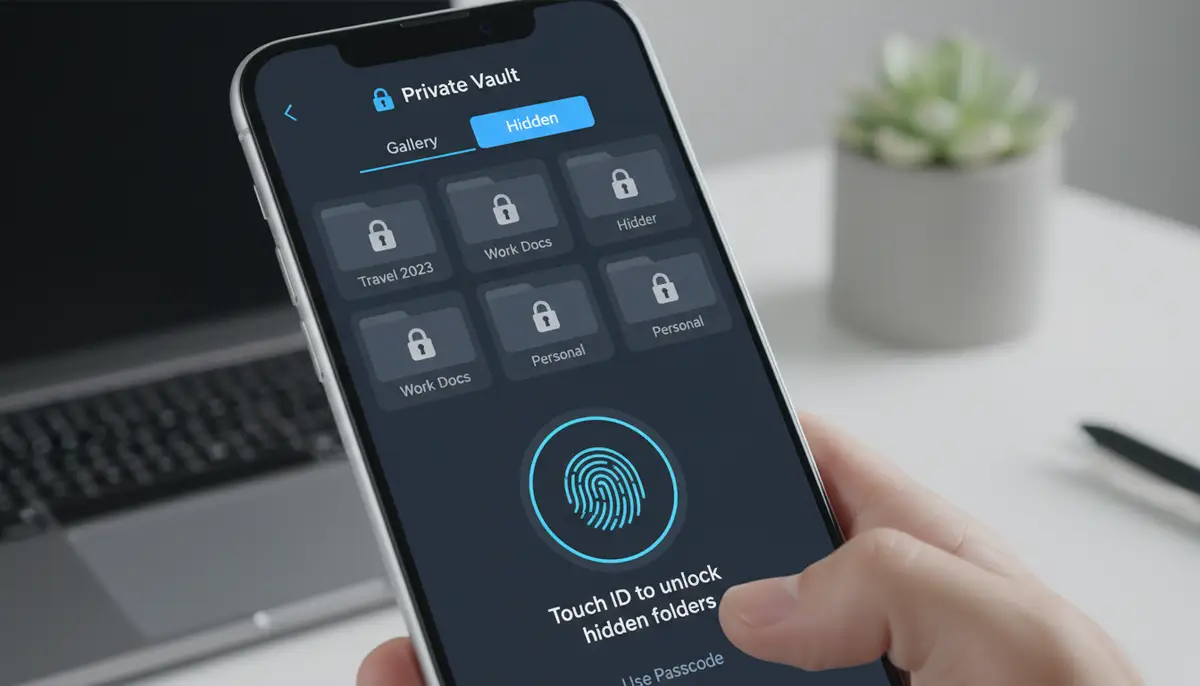
Services like Google Photos or iCloud offer private folders. These are great for backing up and securing your photos in the cloud. However, they don't always offer the same on-device stealth or immediate local protection as a dedicated app photo locker. They also rely on the security of the cloud provider. For local, immediate privacy, the locker is better.
Secure Messaging Apps
Apps like Signal or WhatsApp offer end-to-end encrypted messaging. While they secure photos during transmission, they don't secure photos once saved to your device's gallery. An app photo locker addresses this gap by protecting your stored media. These tools serve different but complementary purposes.
| Feature | App Photo Locker | Built-in Gallery Lock | Cloud Private Folder |
|---|---|---|---|
| Advanced Encryption | Yes | Often Basic | Provider Dependent |
| Stealth Mode/Icon Disguise | Common | Rare | No |
| Decoy Vault | Common | Rare | No |
| Intruder Selfie | Common | No | No |
| Local Device Security | High | Medium | Low |
| Cloud Backup | Often Optional | Rare | High |
The Future of Photo Privacy and App Photo Lockers
The landscape of digital privacy is constantly evolving. App photo locker technology will continue to adapt to new threats and user demands. We can expect exciting advancements in the coming years.
AI Integration for Smart Organization
Future app photo locker solutions might leverage AI to automatically identify and suggest sensitive content for hiding. AI could also help with smarter organization within the vault. This would make managing large collections of private media much easier and more intuitive.
Enhanced Biometric Security
Expect more sophisticated biometric authentication methods. This could include advanced facial recognition that detects subtle changes or even behavioral biometrics. These methods will make unauthorized access even more challenging. Your app photo locker will become even more secure.
Decentralized Storage Options
As blockchain technology matures, we might see app photo locker apps integrating decentralized storage solutions. This would offer even greater security and user control over data. It could reduce reliance on single cloud providers. This could revolutionize how we think about data ownership.
Integration with Broader Digital Security Suites
Photo lockers may become part of larger, comprehensive digital security suites. These suites would manage all aspects of your digital life, from passwords to secure browsing. Your app photo locker would seamlessly integrate into this ecosystem. This will offer a unified approach to personal data protection.
Integrating Widgets for Enhanced Privacy & Productivity
While an app photo locker focuses on securing your media, other tools can enhance your overall phone experience. Widgets, for example, offer quick access to information and functions right from your home screen. They can complement your privacy efforts by reducing the need to open full apps. This minimizes exposure of your app list. If you're interested in keeping your home screen efficient and private, you might find our article on mastering the news app widget very helpful. It shows how to get your daily briefing without deep-diving into apps.
Companies like Widgetopia offer an extensive collection of widgets. With over 100,000 free homescreen widgets for iPhone, iPad, and Android, Widgetopia allows users to remix or design their own. This customization can further personalize your device while maintaining a clean, private interface. For example, you could use a discreet calendar widget instead of opening a full calendar app. This keeps your activity less visible to others.
Understanding how to do app widgets can also empower you to create a more secure and efficient mobile environment. While photowidget.net, widgetsmith.app, and colorwidgets.app offer similar solutions, Widgetopia's vast library provides unparalleled choice. You can create a home screen that gives you quick access to information, like weather widgets for instant updates, without compromising your privacy or exposing your full app list.
Conclusion: Secure Your Digital Memories with an App Photo Locker
In an era where digital privacy is constantly under threat, an app photo locker is no longer a luxury, but a necessity. It empowers you to take control of your personal photos and videos. It ensures they remain exactly that: personal. By understanding the features, benefits, and proper setup, you can confidently safeguard your most cherished digital memories.
Choosing the right app photo locker means evaluating your needs, checking reviews, and prioritizing robust security. Once installed, remember to utilize its advanced features and maintain good digital hygiene. This combination creates an impenetrable shield around your private media. Don't leave your personal privacy to chance. Invest in a reliable app photo locker today and enjoy the peace of mind that comes with true digital security.