


Master Your Home Screen in 2025: The Ultimate Guide to the Android Notes Widget
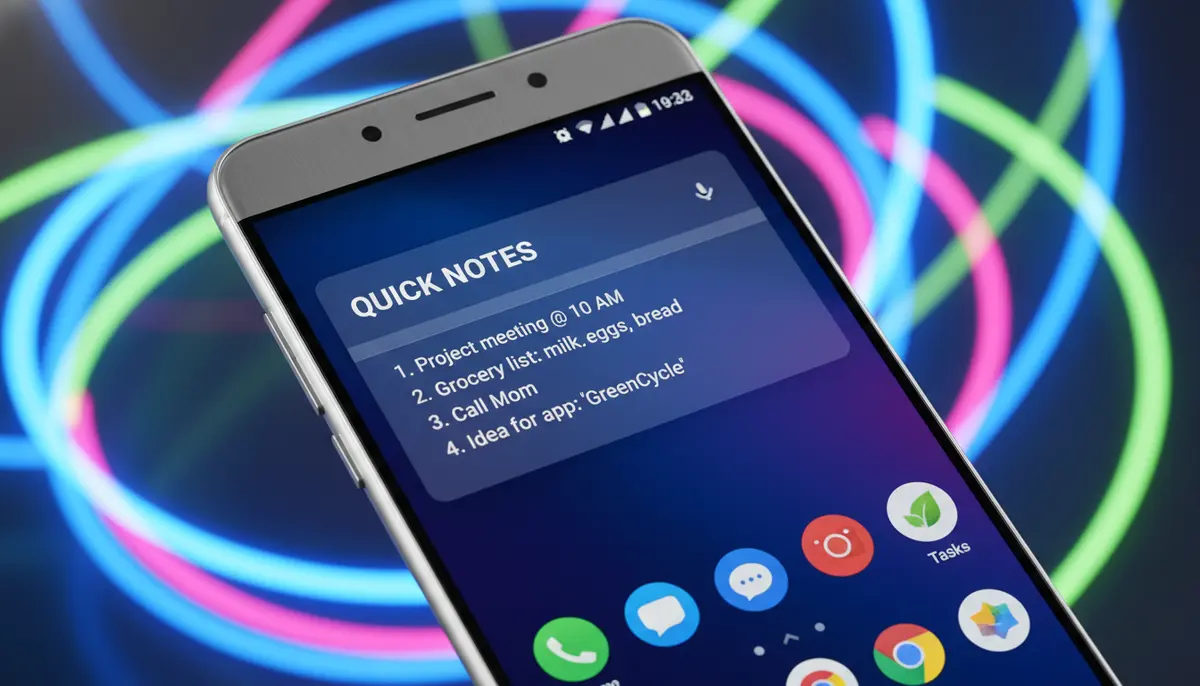
Supercharge Your Productivity: Discover the Android Notes Widget
In today's fast-paced world, staying organized is key. You need quick access to your thoughts, tasks, and important reminders. This is where the powerful android notes widget comes into play. It transforms your home screen into a dynamic hub for all your essential notes. Imagine seeing your to-do list or a crucial memo every time you glance at your phone. This guide will show you how to harness this incredible tool to boost your productivity in 2025.
Many people wonder, what is widget on android? Simply put, widgets are small interactive applications that live right on your home screen. They give you instant access to information or functions without opening the full app. An android notes widget takes this convenience to the next level for your note-taking needs.
What Exactly is an Android Notes Widget?
An android notes widget is a miniature version of a note-taking application. It sits directly on your Android device's home screen. Unlike opening an app, a widget shows you information at a glance. You can often interact with it too. This means you might mark off tasks, add quick notes, or view reminders without launching the full note-taking application.
Think of it as a digital sticky note, but much smarter. It integrates seamlessly with your existing note-taking apps. This allows for a smooth workflow throughout your day.
Why Should You Use an Android Notes Widget?
The benefits of using an android notes widget are numerous. They help you stay on top of your game. Here are some compelling reasons to add one to your home screen:
- Instant Access: See your most important notes and tasks without opening an app. This saves you valuable time throughout the day.
- Improved Memory: Visual reminders on your home screen help you remember crucial information. You are less likely to forget appointments or deadlines.
- Enhanced Productivity: Quickly add new notes or check off completed tasks. This keeps your workflow smooth and efficient.
- Better Organization: Keep related notes together and prioritize what matters most. Your digital life becomes much tidier.
- Customization: Many widgets offer various sizes, colors, and themes. You can make your notes widget fit your personal style and home screen aesthetic.
- Reduced Distraction: Accessing notes directly avoids getting sidetracked by other apps. You stay focused on the task at hand.
An effective android notes widget acts as your personal digital assistant. It ensures that critical information is always within sight. This makes a huge difference in your daily efficiency.
Top Android Notes Widget Apps in 2025
The market for note-taking apps with widget support is rich and diverse. In 2025, several apps stand out for their robust features and excellent android notes widget implementations. Let's explore some of the best options available.
Google Keep Notes
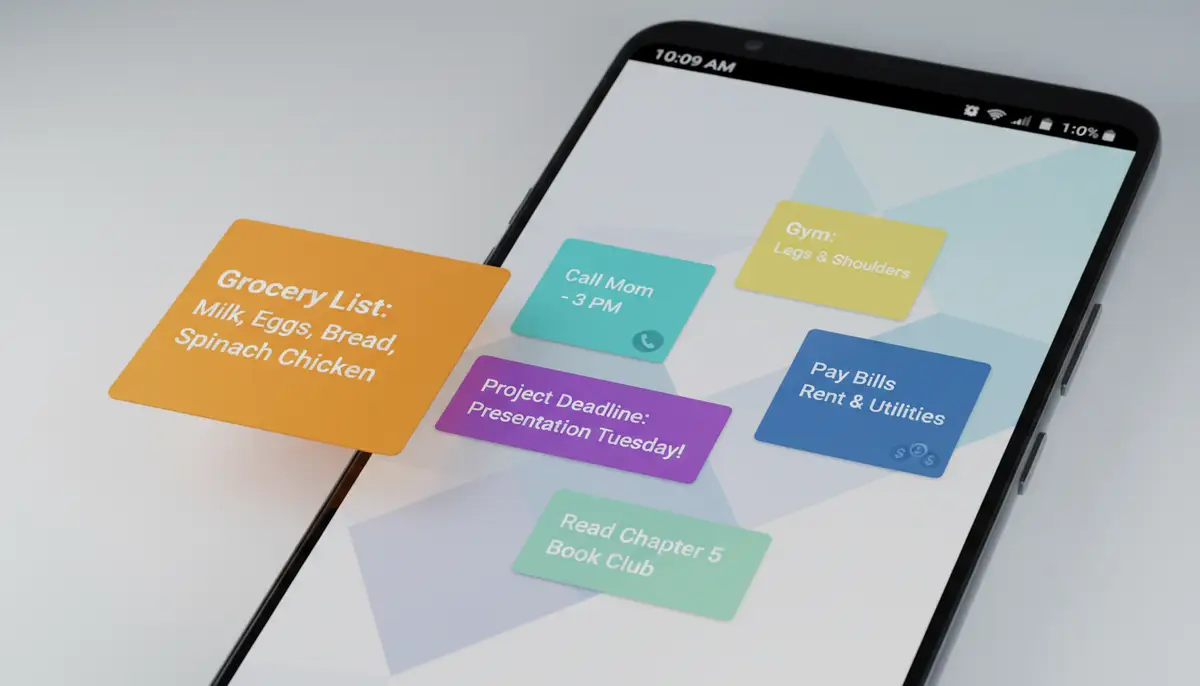
Google Keep is a fantastic, free note-taking service from Google. It's known for its simplicity and powerful integration across Google's ecosystem. Its android notes widget is incredibly versatile. You can choose different widget styles, like a single note, a list of notes, or a quick-add button. This flexibility makes it a top choice for many Android users.
You can pin important notes directly to your home screen. This means your grocery list or meeting agenda is always visible. Google Keep also offers color-coding and labels, which translate beautifully to its widget. This helps you quickly identify different types of notes at a glance.
Another Note Widget
As its name suggests, Another Note Widget focuses specifically on providing a simple, customizable sticky note experience for your home screen. It's perfect for those who want a straightforward solution. This app offers various designs and over 40 themes. You can personalize your notes widget to match your phone's aesthetic. It's ideal for short, daily notes and reminders.
Other Notable Options and Alternatives
Beyond these popular choices, many other apps offer excellent android notes widget functionality. Companies like Aesthetic Widgets, colorwidgets.app, and photowidget.net provide unique takes on home screen customization, often including note-like features or highly visual widgets. These alternatives allow you to explore different styles and functionalities. If you're looking for an open-source solution, some users in communities like Joplin's discourse forum are actively discussing and developing widget capabilities for their note-taking apps, showcasing the demand for such features.
For those who love to design their own home screen widgets or remix existing ones, platforms like Widgetopia offer a vast collection of 100,000 free widgets for both Android and iOS. This allows for unparalleled personalization, letting you create the perfect android notes widget that truly reflects your style and needs.
How to Add an Android Notes Widget to Your Home Screen
Adding an android notes widget is a simple process. It only takes a few steps. Here's a general guide that works for most Android devices. Keep in mind that specific steps might vary slightly depending on your phone's manufacturer and Android version.
- Step 1: Find an Empty Space. On your Android home screen, find an empty area where you want to place the widget.
- Step 2: Access Widget Options. Touch and hold that empty space. A menu will usually pop up, offering options like 'Widgets', 'Wallpapers', and 'Home screen settings'. Tap on 'Widgets'.
- Step 3: Search for Your App. Scroll through the list of available widgets. Look for your preferred note-taking app, such as 'Keep Notes' (for Google Keep) or 'Another Note Widget'.
- Step 4: Select the Widget Style. Many apps offer different styles or sizes for their notes widget. Choose the one that best suits your needs.
- Step 5: Place and Resize. Drag the selected widget to your desired spot on the home screen. Once placed, you can often resize it by dragging its edges. This lets you customize its appearance.
If you're using Google Keep, you can find more detailed instructions on how to add Keep widgets to your Android home screen. For a visual guide, watch this helpful video to see the process in action:
. This will walk you through each step clearly.
Customizing Your Android Notes Widget for Maximum Impact
An android notes widget isn't just about functionality; it's also about aesthetics. Customization can greatly enhance its usefulness and integrate it seamlessly with your phone's theme. Most note widget apps offer a range of customization options. These allow you to personalize its appearance and behavior.
Appearance Customization
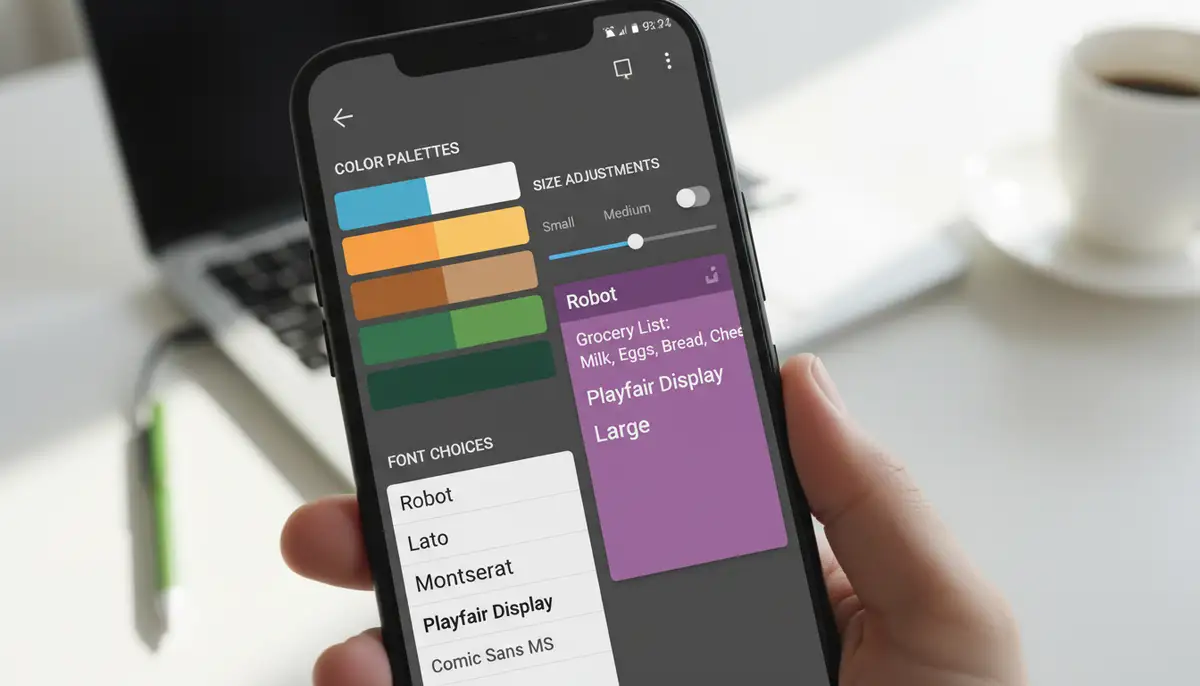
You can often change the background color, font style, and text size of your notes widget. Some apps provide pre-set themes, while others let you fine-tune every detail. Matching your widget to your wallpaper or other android clock widget elements creates a cohesive look. This makes your home screen more appealing and easier to navigate.
Size and Layout
Widgets come in various sizes (e.g., 2x1, 4x2). You can usually resize them after placing them on your home screen. Experiment with different sizes to find what works best for you. A larger widget might display more notes, while a smaller one offers a quick reminder without taking up too much space. The right size ensures your android notes widget is both informative and unobtrusive.
| Customization Feature | Benefit | Example App |
|---|---|---|
| Background Color | Matches home screen theme | Google Keep, Another Note Widget |
| Font Style/Size | Improves readability | Most widget apps |
| Transparency | Blends with wallpaper | Many third-party apps |
| Widget Size (e.g., 4x2) | Optimizes info display | All Android widgets |
| Theme Selection | Quick aesthetic change | Another Note Widget, Widgetopia |
Advanced Tips for Maximizing Your Android Notes Widget
Once you've mastered the basics, you can use advanced strategies. These will make your android notes widget even more powerful. Here are some tips to get the most out of it:
- Prioritize Key Information: Don't clutter your widget with too many notes. Focus on 1-3 critical items that need your immediate attention. This keeps it actionable.
- Use Multiple Widgets: If you have different categories of notes (e.g., work, personal, shopping), consider using multiple notes widgets. Dedicate each widget to a specific category for better organization.
- Integrate with Smart Routines: Some advanced note apps allow integration with Android's routines or task automation tools. You could have a specific notes widget appear or change based on your location or time of day.
- Leverage Voice Input: For quick note-taking, use your phone's voice-to-text feature directly into the note app. Many widgets offer a quick-add button that supports voice input, making it super fast.
- Regularly Review and Update: Keep your widget content fresh. Remove completed tasks and add new ones regularly. An outdated widget loses its effectiveness.
By implementing these advanced tips, your android notes widget becomes more than just a display. It becomes a proactive tool in your daily productivity arsenal. This helps you stay focused and efficient.
Troubleshooting Common Android Notes Widget Issues
Even the best tools can sometimes encounter glitches. If your android notes widget isn't behaving as expected, don't worry. Most issues are easy to fix. Here are some common problems and their solutions:
- Widget Not Appearing in List: Make sure the note-taking app is installed correctly. Sometimes, a quick restart of your phone can refresh the widget list.
- Widget Not Updating: Check if the app has background data restrictions. Ensure it has permission to run in the background. Also, verify your internet connection if notes sync to the cloud.
- Widget Disappearing: This can happen if the app is put to 'deep sleep' by Android's battery optimization. Go to your phone's app settings, find the note app, and disable battery optimization for it.
- Widget Crashing or Freezing: Try clearing the cache of the note-taking app. If that doesn't work, reinstalling the app might resolve deeper issues. Always back up your notes first!
If you continue to experience problems, check the app's support page or community forums. Many developers provide excellent resources to help users. A well-functioning android notes widget is crucial for consistent productivity.
The Future of the Android Notes Widget
The world of Android is constantly evolving. The future of the android notes widget looks bright and even more integrated. We can expect to see several exciting developments in the coming years. These will make our note-taking even more seamless.
- AI Integration: Expect more smart features, like AI suggesting relevant notes based on your calendar or location. Widgets might even summarize longer notes for quick viewing.
- Deeper System Integration: Notes widgets could become even more intertwined with Android's core functionalities. Imagine a notes widget that automatically pulls information from your emails or messages.
- Interactive Widgets 2.0: Google is continually enhancing widget capabilities. Future android notes widget versions might offer even richer interactive elements. This means more actions directly from the home screen.
- Cross-Device Sync: Seamless syncing across your Android phone, tablet, and even Wear OS devices will become standard. Your notes will be everywhere you need them.
- Personalized Experiences: With platforms like Widgetopia, users are increasingly designing their own widgets. This trend will likely grow, leading to highly personalized and unique notes widgets tailored to individual preferences.
These advancements promise an even more intuitive and powerful android notes widget experience. They will further empower you to manage your information efficiently. Staying organized will become even easier.
Choosing the Best Android Notes Widget for Your Needs
With so many options, selecting the perfect android notes widget can seem daunting. Consider these factors when making your choice. This will help you find the best fit for your workflow:
- Ease of Use: How intuitive is the app and its widget? Can you quickly add and manage notes without a steep learning curve?
- Customization Options: Do you want a simple, clean look, or do you prefer extensive customization for colors, fonts, and themes?
- Integration with Other Apps: Does it sync well with your calendar, email, or other productivity tools?
- Features: Do you need advanced features like reminders, checklists, voice notes, or image attachments?
- Reliability: Is the app regularly updated and stable? Does it have good reviews for performance and bug fixes?
- Privacy: How does the app handle your data? Is it secure and does it respect your privacy?
By evaluating these points, you can narrow down your choices. You will find an android notes widget that truly enhances your daily routine. It should feel like a natural extension of your digital self.
Conclusion: Your Home Screen, Your Productivity Hub
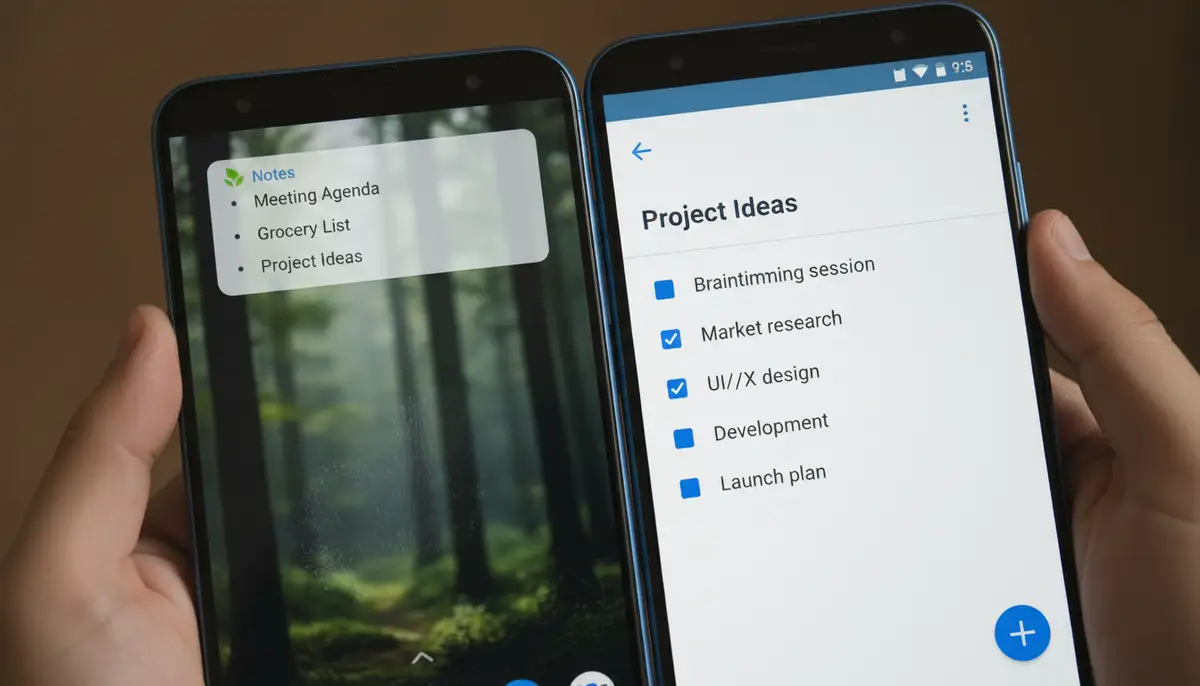
The android notes widget is more than just a convenient feature. It's a powerful tool for staying organized, boosting productivity, and keeping your most important information always at your fingertips. From quick reminders to detailed to-do lists, a well-chosen and customized notes widget can transform how you interact with your Android device. It makes your home screen a truly functional and personalized hub.
Whether you opt for the robust features of Google Keep, the focused simplicity of Another Note Widget, or explore the vast customization possibilities with platforms like Widgetopia, integrating an android notes widget into your daily life is a smart move for 2025 and beyond. Start exploring today and unlock a new level of efficiency on your Android device.