


Unlock Instant Connectivity: Your Ultimate Guide to the Android Hotspot Widget in 2025

Introduction: The Power of the Android Hotspot Widget
In our always-connected world, losing internet access can feel like a major setback. Imagine you're out, and your laptop needs Wi-Fi, but there's none available. Or perhaps your tablet needs a connection for an important video call. This is where the powerful android hotspot widget comes into play. It transforms your Android phone into a portable Wi-Fi router, sharing its mobile data with other devices. This guide will show you how to master this essential tool, ensuring you're never without internet when you need it most. We'll dive deep into setup, customization, and advanced tips for your android hotspot widget in 2025.
The convenience of a single tap to enable your mobile hotspot is a game-changer. Gone are the days of digging through menus. A dedicated android hotspot widget puts that power right on your home screen. You gain instant access to a reliable internet connection for all your devices. Let's explore why this feature is more crucial than ever.
Why You Need an Android Hotspot Widget in 2025
The modern digital landscape demands constant connectivity. Public Wi-Fi networks can be slow, unreliable, or even insecure. Using your phone's mobile data via a hotspot is often the safest and fastest alternative. An android hotspot widget makes this process incredibly efficient.
Here are some key reasons why an android hotspot widget is a must-have tool for any Android user:
- Instant Access: Turn your hotspot on or off with a single tap, saving precious seconds when you need to connect quickly.
- Enhanced Productivity: Keep your laptop, tablet, or other devices online for work, study, or entertainment, no matter where you are.
- Improved Security: Avoid risky public Wi-Fi networks by using your own secure, password-protected connection.
- Battery Efficiency: Quickly toggle your hotspot off when not in use, preserving your phone's battery life throughout the day.
- Seamless Experience: Integrate hotspot control directly into your home screen workflow, making it feel like a natural extension of your device.
These benefits highlight how an android hotspot widget streamlines your digital life. It's about more than just internet access; it's about control and convenience.
Understanding How an Android Hotspot Widget Works
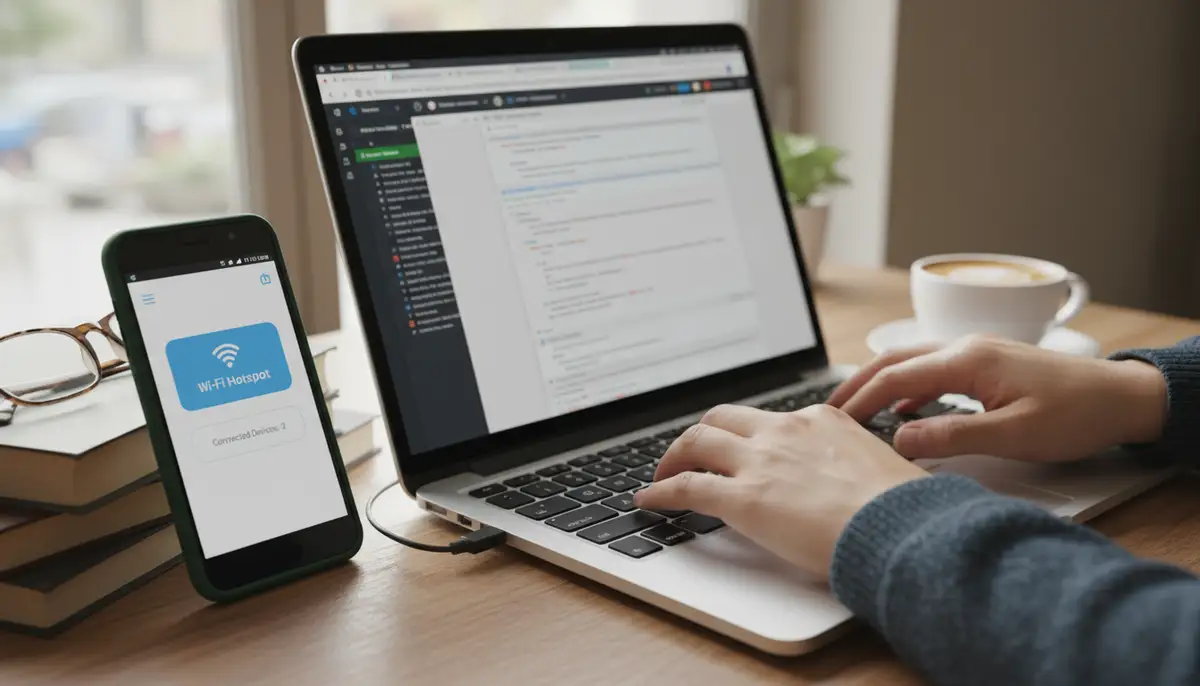
At its core, an Android hotspot widget is a shortcut. It doesn't perform the hotspot function itself. Instead, it triggers the underlying Android operating system feature that enables your phone's mobile hotspot. When you tap the widget, it sends a command to your phone. This command activates the portable Wi-Fi hotspot service. Your phone then broadcasts a Wi-Fi signal, using your mobile data connection. Other devices can then detect and connect to this signal, just like they would to any other Wi-Fi network.
The widget acts as a user-friendly interface for a complex system. It simplifies the process of enabling and disabling this powerful feature. This means you don't have to navigate through multiple settings menus every time. The android hotspot widget provides a direct pathway to connectivity.
Native vs. Third-Party Android Hotspot Widgets
When it comes to the android hotspot widget, you generally have two main options: native solutions built into Android or third-party applications. Both have their advantages, depending on your needs for simplicity versus advanced features.
Stock Android Hotspot Widget Options
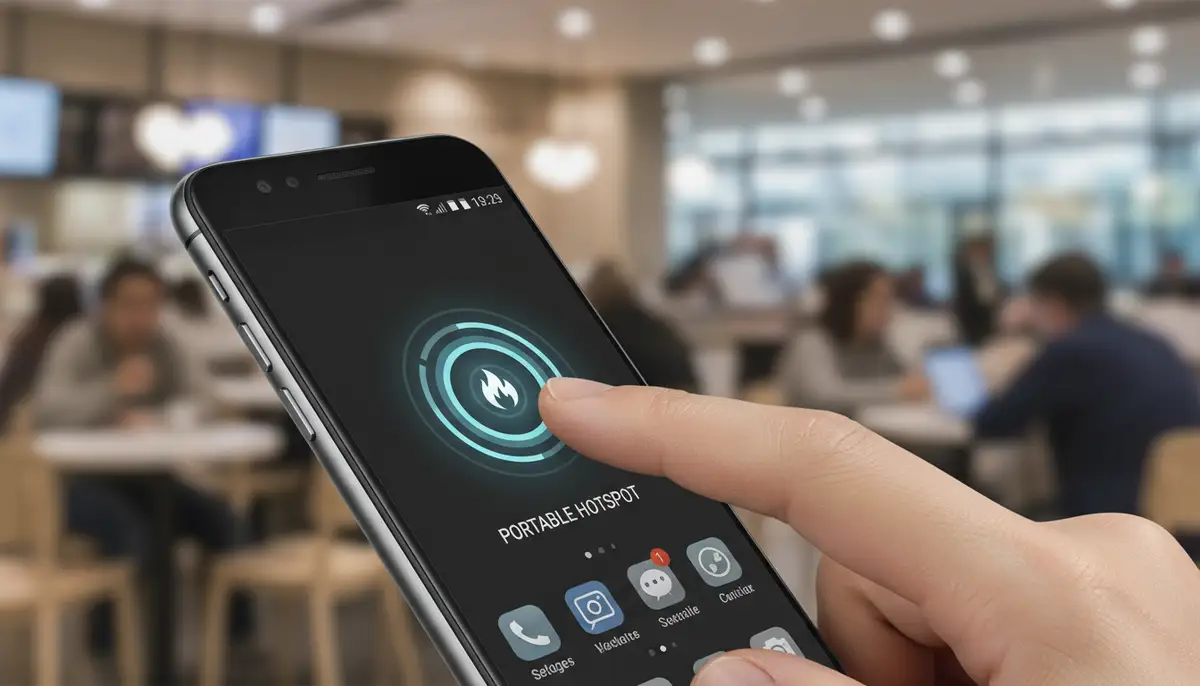
Most modern Android phones offer a quick toggle for the hotspot feature. You can usually find this in your Quick Settings panel. Swipe down from the top of your screen to reveal these toggles. While not a traditional home screen widget, it offers similar one-tap convenience. However, some users prefer a dedicated icon on their home screen. For those who want to create a shortcut for your hotspot on your home screen, Android also allows you to place a direct settings shortcut. This shortcut can launch the hotspot settings page or, in some cases, directly toggle the hotspot itself.
This native approach is simple and doesn't require downloading extra apps. It's often the quickest way to get a basic android hotspot widget functionality. However, customization options are usually limited to what your phone's manufacturer provides.
Exploring Third-Party Android Hotspot Widget Apps
Third-party apps open up a world of possibilities for your android hotspot widget. These applications often provide more features, greater customization, and sometimes even better performance. They can offer data usage monitoring, automatic hotspot shutdown, and different widget designs. For instance, some apps, like the one found on play.google.com, allow you to turn on the portable WiFi hotspot on your Android smartphone with a touch directly from a beautifully designed widget. This adds a layer of personalization and functionality that native options might lack.
When considering third-party options, you might also look at broader widget platforms. Companies like Widgetopia offer a vast collection of 100,000 free homescreen widgets for iPhone, iPad, and Android. You can remix existing designs or even design your own android hotspot widget to perfectly match your aesthetic. This level of customization is a significant advantage over stock options. Many users appreciate the ability to tailor their home screen experience completely. Just like you might customize your android weather widget, you can also personalize your hotspot access.
How to Add a Native Android Hotspot Widget (Shortcut)
While not a true widget in the traditional sense, you can create a shortcut that acts like an android hotspot widget. This method uses Android's built-in 'Settings shortcut' feature. It's a great way to quickly access your hotspot settings or even toggle it directly on some devices.
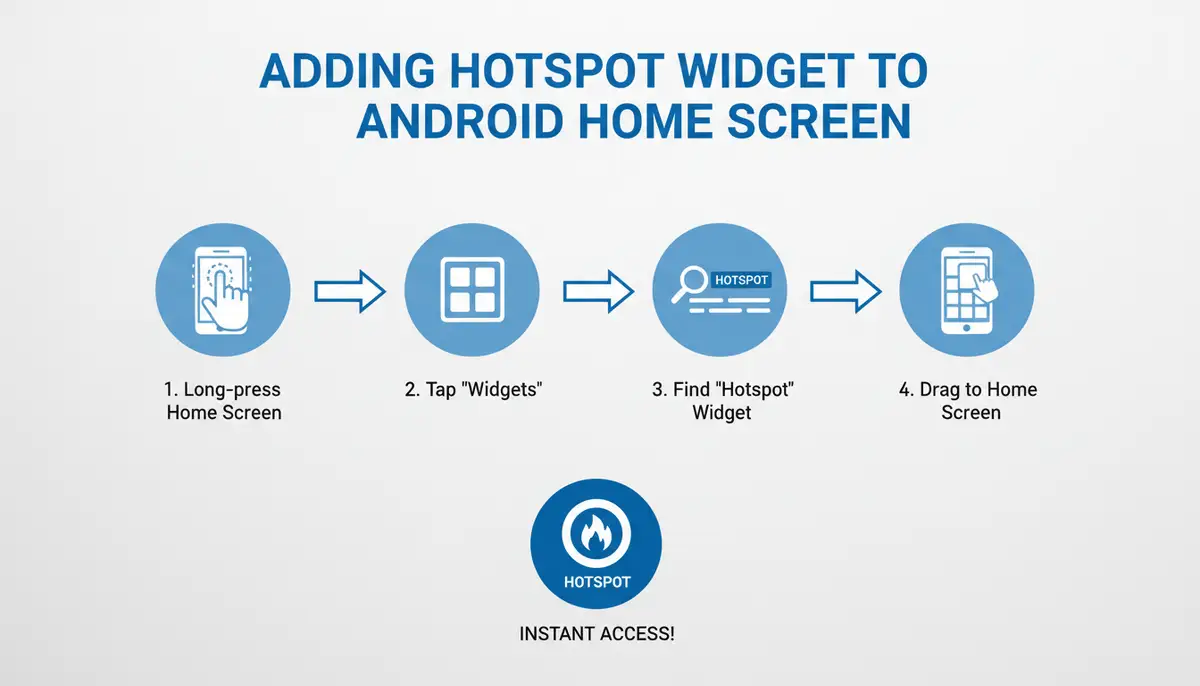
Here's a step-by-step guide to add a hotspot shortcut to your Android home screen:
- 1. Long-Press Home Screen: Tap and hold your finger on an empty space on your Android home screen. This will bring up options like 'Widgets' or 'Wallpapers'.
- 2. Select Widgets: Tap on the 'Widgets' option. This opens the widget drawer, showing all available widgets and shortcuts.
- 3. Find 'Settings' Widget: Scroll through the list of widgets until you find 'Settings'. It might be a single icon or a small group of icons.
- 4. Drag and Drop: Tap and hold the 'Settings' widget, then drag it to an empty spot on your home screen and release.
- 5. Choose Hotspot: A list of settings shortcuts will appear. Scroll down and select 'Hotspot & Tethering' or 'Portable Wi-Fi Hotspot'.
- 6. Place Shortcut: The shortcut will now appear on your home screen. Tapping it will take you directly to your hotspot settings, or on some devices, toggle the hotspot itself.
This method provides a quick way to access your hotspot controls. It's a practical android hotspot widget alternative if you prefer not to install third-party apps. For a visual guide, watch this helpful video:
.Top Android Hotspot Widget Apps to Consider
If the native options don't quite meet your needs, a third-party android hotspot widget app can offer more functionality and customization. These apps often provide a more visually appealing and feature-rich experience. They are designed to make your life easier.
Here are some categories of third-party apps and what they offer:
| App Type | Key Features | Best For |
|---|---|---|
| Simple Hotspot Toggles | One-tap on/off, basic design. | Users who want minimal fuss and quick access. |
| Feature-Rich Hotspot Managers | Data usage tracking, auto-off timers, client management, custom SSID/password. | Power users needing more control and monitoring. |
| Customization Suites (e.g., Widgetopia) | Design your own widget, integrate hotspot with other functions, aesthetic focus. | Users who value personalization and a unique home screen look. |
When choosing an app, consider what's most important to you. Do you need just a simple toggle? Or do you want to monitor data and customize its appearance? For those who love to personalize their device, platforms like Widgetopia stand out. They allow you to create an android hotspot widget that not only functions perfectly but also looks exactly how you want it. This goes beyond just a functional tool; it becomes part of your device's aesthetic.
Other popular widget solutions, such as photowidget.net, colorwidgets.app, and Aesthetic Widgets, also offer extensive customization for various widget types. However, Widgetopia's vast library of 100,000 free homescreen widgets, including options to remix or design your own, gives it a unique edge, especially for those looking to integrate a stylish and functional android hotspot widget into their overall home screen widgets design.
Customizing Your Android Hotspot Widget for Optimal Use
Customization is key to making any tool truly your own. An android hotspot widget is no exception. Beyond just functionality, you can tailor its appearance and behavior to fit your workflow and aesthetic preferences. This personalization enhances your user experience significantly.
Here's how you can customize your android hotspot widget:
- Resizing: Most widgets can be resized. Tap and hold the widget, then drag the edges to make it larger or smaller. This helps it fit perfectly on your home screen.
- Placement: Experiment with different positions on your home screen. Place it where it's easily accessible but doesn't clutter important apps.
- Theming and Design (Third-Party Apps): This is where apps like Widgetopia shine. You can change colors, icons, fonts, and even add background images to your android hotspot widget. Match it to your wallpaper or create a bold, contrasting look.
- Labeling: Some apps allow you to customize the widget's label. Give it a clear, concise name that you'll recognize instantly.
A well-customized android hotspot widget isn't just a utility; it's an integrated part of your personal digital space. It reflects your style while providing essential functionality. This attention to detail makes your phone truly yours.
Advanced Tips and Tricks for Your Android Hotspot Widget
Once you're comfortable with the basics, you can unlock even more power from your android hotspot widget. These advanced tips will help you manage your hotspot more intelligently, save data, and improve security.
- Automating Hotspot Activation: Use automation apps like Tasker or Macrodroid. You can set rules to automatically turn on your hotspot when a specific Bluetooth device connects (e.g., your laptop) or when you enter a certain location. This means your android hotspot widget can even be triggered without a tap.
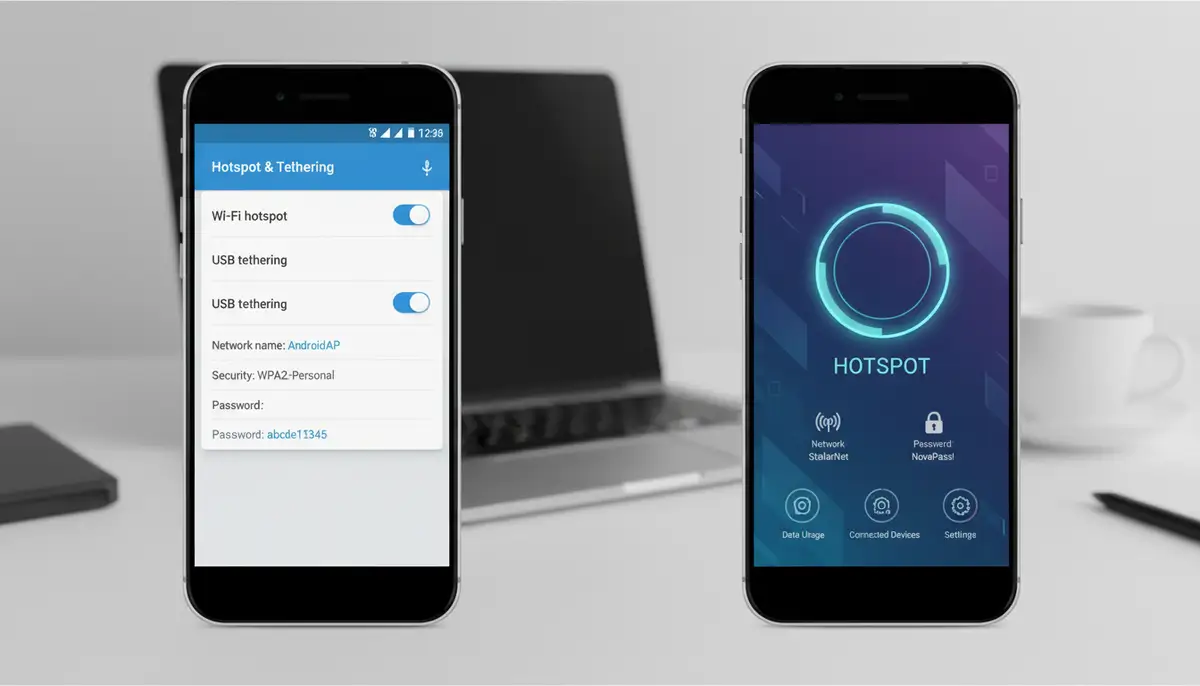
- Monitoring Data Usage: Many Android phones have built-in data usage monitors. Check your phone's Settings > Network & internet > Hotspot & tethering to see how much data your hotspot is consuming. Some third-party hotspot apps also offer this feature directly within the widget itself.
- Setting Data Limits: Prevent overages by setting a data limit for your hotspot. Your phone will automatically turn off the hotspot once the limit is reached. This is a crucial feature for managing your mobile data plan.
- Optimizing Security: Always use a strong, unique password for your hotspot. WPA2 or WPA3 encryption is standard and recommended. Avoid broadcasting your SSID (network name) if you want extra privacy, though this can make it harder for your devices to find it initially.
- Auto-Off Timer: Configure your hotspot to automatically turn off after a period of inactivity. This saves battery and data, ensuring your android hotspot widget isn't draining resources unnecessarily.
These strategies help you maximize the efficiency and security of your mobile hotspot. An intelligent approach to using your android hotspot widget ensures you get the most out of your connectivity.
Troubleshooting Common Android Hotspot Widget Issues
Even with the best tools, you might encounter issues. Here are some common problems with the android hotspot widget and how to fix them.
- Widget Not Appearing: If you can't find the widget, first ensure your app is installed correctly. Try restarting your phone. If it's a third-party widget, check the app's settings to ensure the widget is enabled.
- Hotspot Not Activating: Confirm your mobile data is turned on and you have an active data plan. Check your phone's hotspot settings to ensure it's properly configured (SSID, password, security type). Sometimes, a simple phone restart can resolve temporary glitches.
- Devices Can't Connect to Hotspot: Double-check the Wi-Fi password you're entering on the connecting device. Ensure your hotspot isn't set to 'hidden' (SSID broadcast). Try forgetting the network on the connecting device and reconnecting. Also, ensure your phone's hotspot isn't exceeding its maximum number of connected devices.
- Slow Hotspot Speed: Network congestion or a weak mobile signal can cause slow speeds. Try moving to an area with better signal. Restarting both your phone and the connecting device can sometimes help. Also, check if any apps on your phone are consuming a lot of data in the background.
- Widget Not Responding: If the android hotspot widget is unresponsive, try removing it from your home screen and adding it again. If it's a third-party app, clear its cache (Settings > Apps > [App Name] > Storage > Clear Cache). If the problem persists, reinstall the app.
Most hotspot issues are minor and easily fixable. Following these steps can quickly get your android hotspot widget back up and running, providing reliable internet access.
The Future of Connectivity: What's Next for Android Hotspot Widgets?
Technology evolves rapidly, and the android hotspot widget is no exception. As we look to the future, we can anticipate even more intelligent and integrated features. Imagine a world where your devices connect seamlessly without any manual intervention. This future is closer than you think.
- AI-Powered Automation: Future widgets might use AI to predict when you need a hotspot. For example, it could activate automatically when your laptop is open and no known Wi-Fi is available.
- Enhanced Device Handoff: Expect even smoother transitions. Your hotspot could automatically switch between your phone and tablet, providing continuous connectivity as you move between devices.
- Integrated Data Management: More sophisticated widgets will offer real-time, granular data usage reports. They might even suggest optimal times to use your hotspot based on network traffic or plan limits.
- Eco-Friendly Modes: Features that intelligently manage power consumption for your hotspot, extending battery life further and promoting sustainable tech use.
- Cross-Device Control: Imagine controlling your phone's hotspot from your smartwatch or another connected device. The android hotspot widget could become part of a larger, interconnected ecosystem.
These advancements promise to make the android hotspot widget an even more indispensable tool. It will become a more intelligent, proactive assistant in your connected life. The focus will be on effortless, invisible connectivity.
Beyond Hotspots: Other Essential Android Widgets
While the android hotspot widget is incredibly useful, it's just one piece of the puzzle. Android offers a rich ecosystem of widgets to enhance your home screen and boost productivity. Understanding what is a widget on Android can unlock even more potential for your device.
Consider integrating other powerful widgets into your daily routine:
- Weather Widgets: Get instant updates on local weather conditions. A comprehensive guide to the Android weather widget can help you set up the perfect one.
- Calendar Widgets: See your upcoming appointments at a glance, helping you stay organized.
- Music Player Widgets: Control your music playback without opening the app, directly from your home screen.
- To-Do List Widgets: Keep track of your tasks and reminders, ensuring you never miss an important item.
- News Widgets: Stay informed with headlines from your favorite sources, updated in real-time.
These widgets, much like the android hotspot widget, are designed to save you time and provide information at a glance. They transform your home screen into a powerful dashboard, tailored to your needs. Widgetopia, for example, specializes in offering a vast array of such home screen widgets for every imaginable function, allowing you to design a truly personalized and efficient mobile experience.
Conclusion: Embrace the Convenience of the Android Hotspot Widget
The android hotspot widget is more than just a shortcut; it's a gateway to uninterrupted connectivity. It empowers you to share your mobile data efficiently and securely, ensuring your other devices are always online. From quick toggles to highly customized interfaces, the options available in 2025 cater to every user's preference. Embracing this simple yet powerful tool enhances your productivity and peace of mind.
Whether you opt for a native shortcut or a feature-rich third-party application, the convenience of a one-tap hotspot is undeniable. You can customize its look, monitor its usage, and even automate its activation. Don't let a lack of Wi-Fi slow you down. Integrate an android hotspot widget into your home screen today and experience the freedom of always-on connectivity. Explore the possibilities and design your ultimate digital workspace with powerful home screen widgets that put control at your fingertips.