


Master Your Possessions: The Ultimate Guide to the Android Home Inventory App in 2025

Master Your Possessions: The Ultimate Guide to the Android Home Inventory App in 2025
Imagine a sudden emergency, like a fire or flood. Could you accurately list every single item you own, along with its value and purchase date? For most people, this task feels impossible. Yet, having a detailed record of your belongings is crucial for insurance claims, estate planning, and even just staying organized. This is where a powerful tool like an android home inventory app becomes indispensable in 2025.
Forget handwritten lists or bulky spreadsheets. Modern technology offers a streamlined solution right in your pocket. An android home inventory app transforms how you manage your household items. It provides a digital, accessible, and comprehensive record of everything you own. This guide will walk you through why you need one, what features to look for, and how to get started with the best options available today.
Why Every Android User Needs a Home Inventory App in 2025
The benefits of a home inventory go far beyond simply knowing what you have. In an increasingly complex world, a digital record offers peace of mind and practical advantages. It protects your assets and simplifies many life events. Investing a little time now can save you significant stress and money later.
Many people underestimate the value of their possessions until it's too late. Think about everything in your home, from your electronics to your kitchenware. The total value can be staggering. An android home inventory app helps you visualize and quantify this value, making you a more informed homeowner. It's a proactive step towards better personal asset management.
- Simplify Insurance Claims: Quickly provide detailed proof of loss after theft, fire, or natural disaster.
- Streamline Organization: Keep track of purchases, warranties, and maintenance schedules.
- Facilitate Estate Planning: Provide heirs with a clear record of assets, reducing stress.
- Aid in Moving: Ensure all items are accounted for during packing and unpacking.
- Support Decluttering Efforts: Make informed decisions about what to keep, donate, or sell.
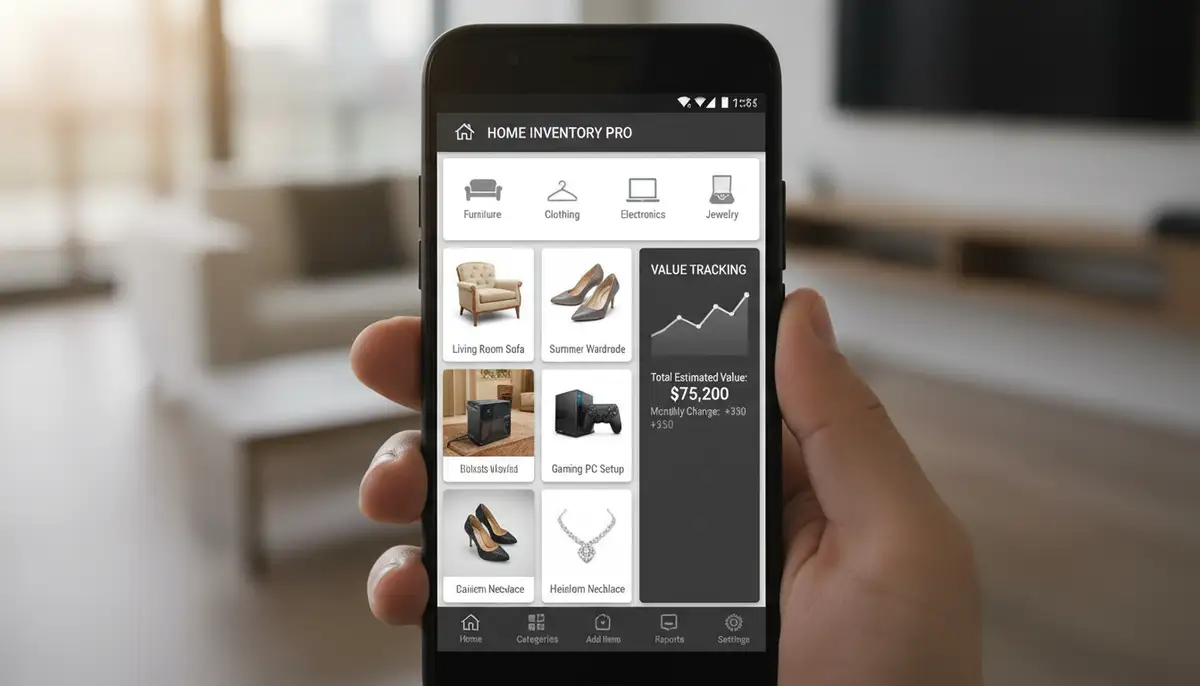
- Track Asset Value: Monitor the depreciation or appreciation of valuable items over time.
Insurance Claims Made Easy with Your Android Home Inventory App
One of the most critical reasons to use an android home inventory app is for insurance purposes. If you experience a loss, your insurance company will ask for a detailed list of damaged or stolen items. Without this, proving your claim can be incredibly difficult and time-consuming. You might also lose out on compensation for items you can't remember or prove you owned.
An app allows you to document everything with photos, videos, serial numbers, and purchase receipts. This comprehensive record serves as undeniable proof for your insurer. It speeds up the claims process significantly. The National Association of Insurance Commissioners (NAIC) provides official guidance on creating a home inventory to help consumers prepare for such events. Having this information readily available on your Android device means you're always prepared, no matter where you are when disaster strikes.
Streamlined Organization and Decluttering
Beyond emergencies, an android home inventory app is a fantastic tool for everyday organization. Do you remember when you bought that new appliance? Or where you put the warranty information for your television? An app keeps all this data in one centralized, searchable location. You can categorize items by room, type, or even person, making it easy to find what you need quickly.
This level of detail also helps with decluttering. When you see a clear list of everything you own, it becomes easier to identify duplicates or items you no longer use. This visual representation can be a powerful motivator for simplifying your living space. Knowing exactly what you have prevents impulse purchases and promotes mindful consumption. It's about taking control of your physical environment, one item at a time.
Estate Planning and Valuations
For long-term planning, an android home inventory app offers invaluable support. When it comes to estate planning, a detailed inventory ensures that your assets are accurately documented for your beneficiaries. This transparency can prevent disputes and simplify the distribution process during a difficult time. You can even assign specific items to individuals within the app's records.
Furthermore, the app helps you track the current value of your possessions. This is useful for understanding your net worth, especially for high-value items like art, jewelry, or collectibles. Some apps even integrate with valuation tools or allow you to link to appraisal documents. This feature makes it easier to keep an up-to-date record of your financial assets within your home.
Key Features to Look for in an Android Home Inventory App
With so many options available, choosing the right android home inventory app can feel daunting. However, focusing on essential features will help you narrow down the best fit for your needs. Not all apps are created equal, and some offer more robust functionality than others. Prioritize features that enhance ease of use, data security, and comprehensive tracking.
A good app should be more than just a list-maker. It should be a powerful asset management tool. Consider how much detail you want to capture and how often you plan to update your inventory. Look for flexibility and scalability in the app's design. This ensures it can grow with your needs over time, from a simple inventory to a comprehensive asset register.
- Photo and Video Support: Essential for visual proof and detailed documentation.
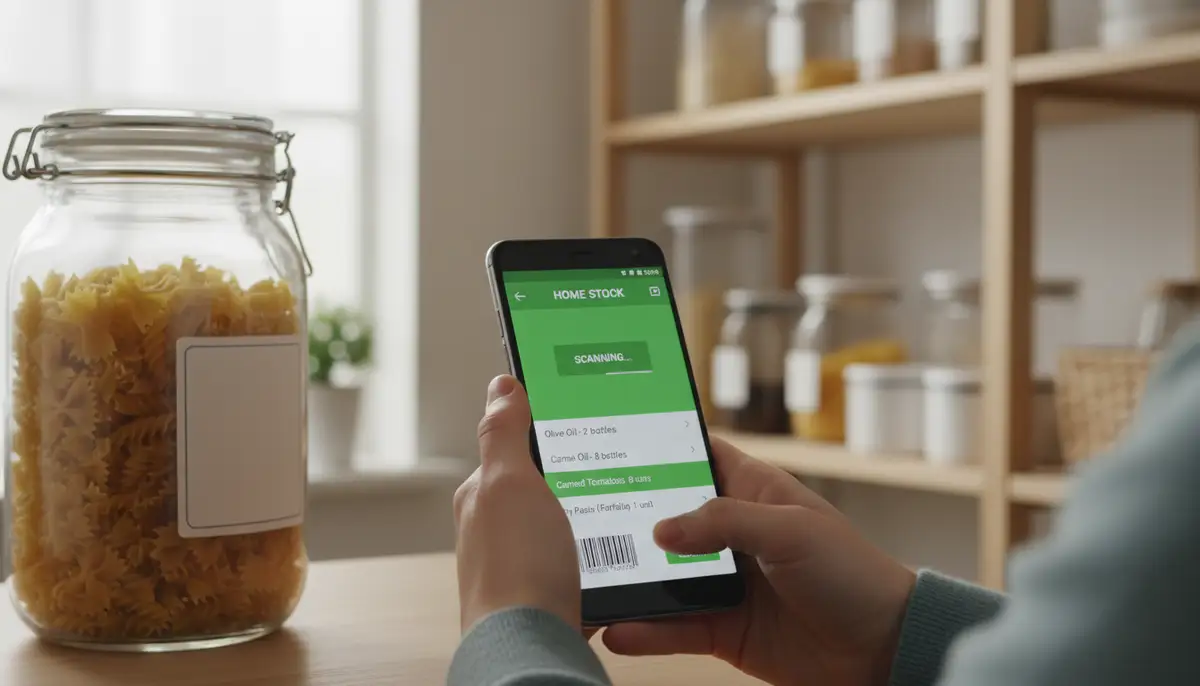
- Barcode Scanning: Quickly add items by scanning their UPC codes.
- Cloud Sync and Backup: Securely store your data and access it from multiple devices.
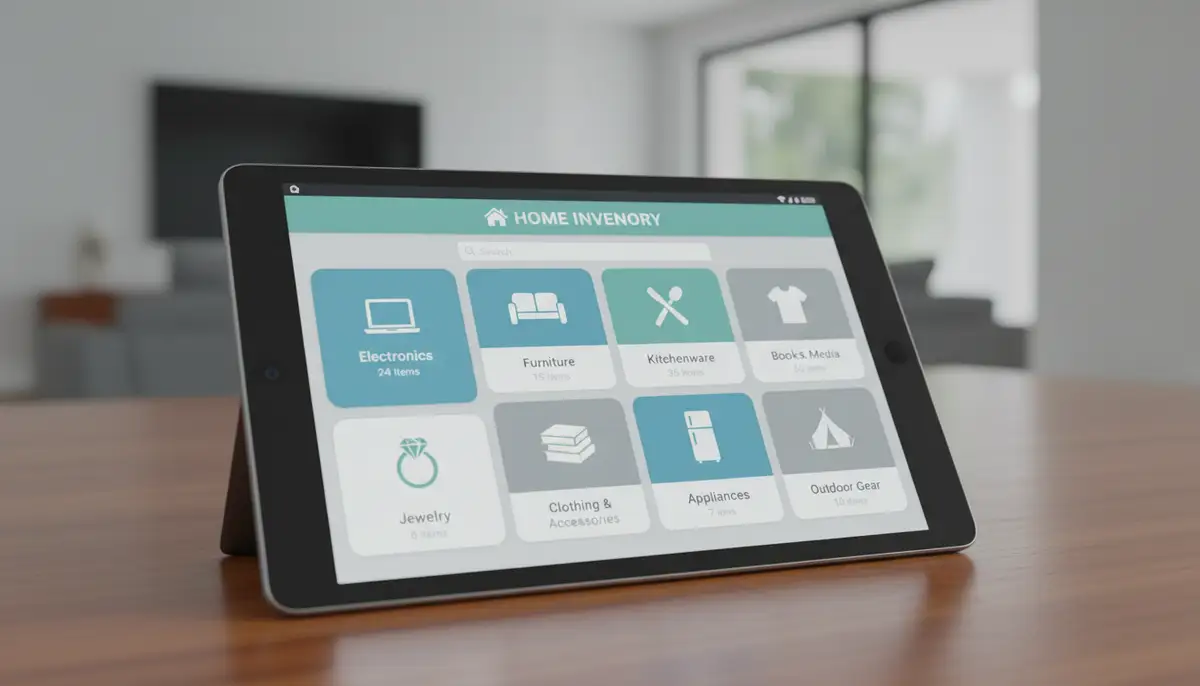
- Customizable Categories and Locations: Organize items logically (e.g., by room, type, or owner).
- Value Tracking and Depreciation: Record purchase price, current value, and track changes.
- Receipt and Document Attachment: Link warranties, manuals, and purchase receipts to items.
- Reporting and Export Options: Generate printable lists or digital files for insurance or personal records.
- Search and Filter Functions: Quickly find specific items within your inventory.
Intuitive Interface and User Experience
An app, no matter how feature-rich, is only useful if you actually use it. A clunky or confusing interface will quickly lead to frustration and abandonment. Look for an android home inventory app that offers a clean, intuitive design. Easy navigation, clear menus, and simple data entry forms are paramount. You want to spend time cataloging, not figuring out how the app works.
Consider apps with drag-and-drop functionality for organizing items or rooms. Quick-add features can also save a lot of time when you're in the middle of a sorting spree. A good user experience encourages consistent use, which is key to maintaining an up-to-date inventory. Test out a few free versions or trials to see which interface feels most natural to you. This personal preference is vital for long-term engagement.
Robust Data Entry and Media Support
The ability to add rich data is a hallmark of a great android home inventory app. Photos are crucial; they provide visual proof of an item's existence and condition. High-resolution images from your Android camera are perfect for this. Some apps even allow video attachments, which can be useful for capturing the functionality of electronics or the condition of larger items.
Barcode scanning is another game-changer. Simply point your camera at a product's barcode, and the app can often auto-populate details like the item name and description. This feature dramatically speeds up the inventory process. Additionally, look for apps that let you attach digital copies of receipts, warranties, and user manuals directly to each item. This keeps all relevant information consolidated. For more insights on various solutions, you can explore favorite home inventory apps and solutions that offer these robust features.
Cloud Sync and Backup
Your home inventory is valuable data. Losing it due to a phone malfunction or theft would be devastating. Therefore, cloud sync and backup capabilities are non-negotiable. A good android home inventory app will securely store your data in the cloud, often encrypted, protecting it from local device failures. This ensures your information is always safe and accessible.
Cloud sync also enables multi-device access. You can start an inventory on your phone, continue on a tablet, and even access it via a web portal on your computer. This flexibility is incredibly convenient, allowing you to work on your inventory whenever and wherever it suits you. Always check the app's privacy policy and data security measures to ensure your personal information is protected.
Reporting and Export Options
What good is all that data if you can't easily share or use it? A robust android home inventory app offers various reporting and export options. You should be able to generate comprehensive reports in formats like PDF or CSV. These reports are crucial for insurance claims, providing a clear, organized document of your losses. They can also be useful for tax purposes or financial planning.
Look for customizable reports that allow you to select which data fields to include. You might need a report with just photos and values for insurance, or a more detailed list including serial numbers and purchase dates for personal records. The ability to export data means you're not locked into one app. You can always transfer your information if you decide to switch platforms in the future.
Top Android Home Inventory Apps to Consider in 2025
The market for home inventory apps is growing, with several excellent choices available for Android users. While specific recommendations can change rapidly, some apps consistently offer a strong set of features and a positive user experience. When evaluating, consider your specific needs, such as budget, the number of items you plan to track, and your comfort level with technology.
For a broader perspective on available solutions, Forbes Advisor offers expert advice on homeowners insurance and detailed home inventories, often highlighting popular apps. Some well-regarded options that frequently appear in discussions include Sortly (also mentioned by SmartHomeAmerica), Encircle Home Inventory, and BluePlum Home Inventory. Each of these offers a unique blend of features designed to help you manage your possessions effectively. Your ideal android home inventory app might be one of these, or another emerging solution.
Getting Started with Your Android Home Inventory App: A Step-by-Step Guide
Starting a home inventory can seem like a monumental task. However, breaking it down into manageable steps makes it much less intimidating. Don't feel like you need to catalog everything in one sitting. Consistency is more important than speed. A strategic approach will ensure your inventory is thorough and easy to maintain over time. Think of it as a marathon, not a sprint.
The key is to develop a routine and stick to it. Even dedicating 15-30 minutes a week can make a significant difference over time. Remember, the goal is to create a useful record, not to achieve perfection instantly. Every item you add is a step toward greater peace of mind and better organization. Your android home inventory app is there to support you through this process.
- Choose Your App: Select an Android home inventory app that fits your needs and budget.
- Plan Your Strategy: Decide how you'll categorize items (e.g., by room, by type, or by value).
- Start Small: Begin with one room or one category of items (e.g., electronics).
- Capture Details: Take multiple photos, add descriptions, serial numbers, purchase dates, and values.
- Attach Documents: Scan or photograph receipts, warranties, and manuals.
- Regular Updates: Schedule periodic reviews to add new purchases and remove disposed items.
Choosing the Right App for You
The 'best' android home inventory app is subjective. It depends entirely on your specific requirements. Do you need advanced features like depreciation tracking, or are you looking for something simple and free? Consider your technical proficiency as well. Some apps are designed for power users, while others prioritize extreme ease of use. Read reviews, watch tutorials, and if possible, try out free trials.
Think about your budget too. Many apps offer a free tier with basic features and then a paid subscription for premium access. Weigh the cost against the features you truly need. A small investment in a robust app can provide significant value and protection in the long run. Don't rush this decision; it's the foundation of your digital inventory system.
| Feature | Free Apps (Basic) | Paid Apps (Premium) |
|---|---|---|
| Photo/Video Support | Limited | Extensive |
| Barcode Scanning | Basic | Advanced, often with auto-fill |
| Cloud Storage | Limited GB | Generous GB |
| Reporting Options | Simple lists | Customizable PDFs/CSVs |
| Customer Support | Community forums | Direct email/chat |
| Multi-Device Sync | Often limited | Seamless across devices |
Creating a Categorization Strategy
A well-thought-out categorization strategy is crucial for an effective home inventory. Without it, your digital list can quickly become as disorganized as a cluttered attic. Most android home inventory app solutions allow you to create custom categories and subcategories. Start by thinking about how you naturally group items in your home. This will make the process feel more intuitive.
Common categories include rooms (Living Room, Kitchen, Bedroom), item types (Electronics, Furniture, Appliances), or even by value (High Value, Everyday Items). You can also add specific tags for insurance policies, purchase dates, or warranty information. A consistent system ensures that you can always find what you're looking for, whether it's for an insurance claim or just to remember where you stored something. Take time to define your categories before you start adding many items.
- By Room: Living Room, Kitchen, Master Bedroom, Garage, Basement.
- By Item Type: Electronics, Appliances, Jewelry, Art, Clothing.
- By Value: High-Value Items (over $500), Medium-Value, Low-Value.
- By Purpose: Collectibles, Tools, Decor, Outdoor Gear.
- Custom Tags: 'Warranty', 'Gift', 'Needs Repair', 'Donated'.
Advanced Tips for Maximizing Your Android Home Inventory App
Once you've mastered the basics, there are many ways to get even more out of your android home inventory app. These advanced tips can save you time, improve accuracy, and integrate your inventory more deeply into your digital life. Think beyond simple listing and explore the full potential of these powerful tools. It's about making your inventory work smarter for you.
For instance, consider how you access your inventory. Many Android apps support widgets. If you want to dive deeper into understanding Android widgets better, you'll find that having quick access to specific inventory features or summary data directly from your home screen can be incredibly convenient. This saves you from opening the full app every time you need a quick check. Similarly, for valuation needs, streamlining calculations with a calculator widget for Android can be a useful companion.
Utilizing Barcode Scanning and QR Codes
Barcode scanning is already a fantastic feature for new purchases. But what about items without a barcode, like antiques or custom furniture? Many advanced android home inventory app solutions allow you to generate and print custom QR codes. You can then attach these codes to your items. Scanning the custom QR code will immediately pull up that item's details in your app.
This method is perfect for large collections, storage boxes, or items stored in less accessible areas. Imagine needing to find a specific tool in your garage. Instead of rummaging through boxes, you scan a QR code on the box, and your app tells you exactly what's inside. This level of organization is a game-changer for efficiency and peace of mind. It transforms your physical items into digitally searchable assets.
Integrating with Smart Home Devices
The future of home inventory could see deeper integration with smart home technology. Imagine your smart appliances automatically logging their purchase date, warranty information, and even maintenance history into your android home inventory app. While this is still an emerging area, some apps are starting to explore APIs and connections with IoT (Internet of Things) devices.
This integration could provide real-time updates on asset status, energy consumption, or even trigger reminders for maintenance. As our homes become smarter, our inventory systems will likely follow suit. Keeping an eye on apps that innovate in this space could offer significant long-term benefits. It moves home inventory from a static list to a dynamic, living record of your connected home.
Regular Audits and Updates
Your home is not static; items come and go, values change, and new purchases are made. For your android home inventory app to remain truly useful, regular audits and updates are essential. Schedule a recurring reminder, perhaps quarterly or annually, to review your inventory. This ensures accuracy and keeps your data current. It’s a small effort for a big reward.
During an audit, check for items that have been sold, donated, or discarded and remove them from your inventory. Add any new purchases, complete with photos and receipts. Update the estimated values of high-value items if market conditions have changed. A well-maintained inventory is a powerful tool. A neglected one quickly becomes obsolete and unreliable. Consistency is key to long-term success.
The Future of Home Inventory: AI, IoT, and Beyond
The landscape of the android home inventory app is constantly evolving. We're already seeing advancements in AI-powered object recognition, where you can simply point your camera at an item, and the app suggests details. Augmented reality (AR) could allow for virtual placement of items in rooms, enhancing organization and visualization. The integration with IoT devices will only deepen, making inventory management more automated and seamless.
Expect more personalized insights, predictive maintenance suggestions, and even integration with smart home routines. The goal is to make home inventory an effortless background process, rather than a chore. As the digital world expands, tools like those offered by Widgetopia, specializing in home screen widgets for Android and iOS, will continue to enhance how we interact with our devices and manage our digital and physical lives. While companies like widgetsmith.app, colorwidgets.app, and Aesthetic Widgets focus on visual customization, the core principle of quick access and personal organization remains paramount, extending to practical applications like home inventory.
Conclusion: Take Control with an Android Home Inventory App
In 2025, an android home inventory app is no longer a luxury; it's a necessity for any homeowner. It offers unparalleled peace of mind, simplifies stressful situations like insurance claims, and empowers you to manage your assets effectively. From robust data entry to cloud backup and advanced reporting, these apps provide a comprehensive solution for keeping track of your most valuable possessions.

Don't wait for an emergency to realize the importance of a detailed home inventory. Start today, choose an app that suits your needs, and begin the journey toward a more organized and secure home. Your future self will thank you for taking this proactive step. Explore our vast collection of home screen widgets to further enhance your Android experience and integrate your digital tools seamlessly into your daily life.